![Diane Poremsky [Outlook MVP]](http://www.outlook-tips.net/images/2014/MVP_BlueOnly.png)
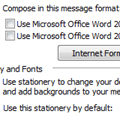
I'm starting to see a lot of complaints that Outlook 2003 is not sending the full message as the user typed it. Only the first part of the message, the part that was saved to drafts, is sent. Not all messages are affected, just some.This is caused by a combination of the installation of Internet Explorer 11 and the user's choice of using Outlook's native editor. Outlook is … [Read more...] about Tip 1121: Outlook 2003: Messages are cropped
Tips Archive
Tip 1120: When was a contact created?
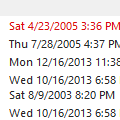
A user asked this question: Is it possible to create a list of contacts that were created on a certain date? For example: it would be nice to check the contacts that were created yesterday or 2 days ago. Yes, you can do this. Switch to a list view and add the Created field to the view. You can also add the Modified field to the view to see when you last edited the contact. … [Read more...] about Tip 1120: When was a contact created?
Tip 1119: Mark Outlook Tasks Complete in Task Peek
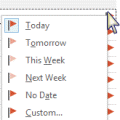
In Outlook 2010 I could right-click on a Task in the To-Do Bar and select Mark Complete to complete a task. When I try this in Outlook 2013, the options are: Copy, Quick Print, Reply, Reply All, Forward, Assign Task, Rename Task, Categorize, Follow Up, OneNote, Delete. Am I missing something or is this option no longer available?I'm going to assume you know that Follow Up … [Read more...] about Tip 1119: Mark Outlook Tasks Complete in Task Peek
Tip 1118: Reduce Outlook 2013 header size

Great news for users who hate the huge header at the top of messages in Outlook 2013's reading pane: the November updates for Outlook 2013 allows you to minimize the header block.The old header looks like this:The minimized header has a smaller contact photo and puts the sender and recipient's names and date together on the top line.To minimize the header, … [Read more...] about Tip 1118: Reduce Outlook 2013 header size
Tip 1117: Drag files to create hyperlinks in email
Is it possible to drag and drop files or folders to create hyperlinks in an email? Our company has a policy of hyperlinking to network locations instead of attaching files wherever possible. How can I drag from the address bar in explorer direct into an email to create a hyperlink to the location?There are several methods you can use to insert the hyperlink. (Note that not … [Read more...] about Tip 1117: Drag files to create hyperlinks in email