![Diane Poremsky [Outlook MVP]](http://www.outlook-tips.net/images/2014/MVP_BlueOnly.png)
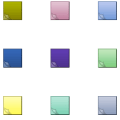
What happened to the note colors that have been in Outlook since 1997? The only option is yellow.In an effort to streamline Outlook and remove features that got little use, Microsoft removed some features from notes, including the ability to change the color of the notes.Although Microsoft removed the note colors and the choice of default sizes, you can add some color … [Read more...] about Tip 1092: Change Outlook 2013 Yellow Note Color
Tips Archive
Tip 1091: Outlook 2013's blue icon
It seems that Outlook's color change (from orange to blue) is not well liked by a number of users. A small sampling of the complaints I've received:Where did the yellow-orange icon go for Outlook 2013? The new blue icon for Outlook looks too much like the blue icon for Word. We've been 'taught' through daily use over 15 years that Yellow=Outlook and Blue=Word. … [Read more...] about Tip 1091: Outlook 2013's blue icon
Using Two-factor authentication in Outlook
I thought I wrote about this a few weeks ago, right after Microsoft introduced two-step authentication at Outlook.com but I can't find it, so if it's a duplicate, sorry. :)Two-factor (or two-step) authentication is used by many sites and services to protect your accounts from hackers. Facebook, Gmail, GoDaddy, Twitter, and Outlook.com are among the growing number of sites … [Read more...] about Using Two-factor authentication in Outlook
Tip 1089: Duplicate a meeting request

While you could use a macro to copy meeting details to another meeting... if you plan ahead, it takes just a few keystrokes to send an identical meeting to several people.How can I duplicate a meeting invitation content and just change time and invitees?I schedule interviews. One candidate may have up to 6 different people who they interview with and each … [Read more...] about Tip 1089: Duplicate a meeting request
Tip 1088: Check for Duplicate Contacts
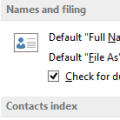
An Outlook user had this question:We have a list of contacts saved in an Excel file containing more than 100 contacts. Some of these names are already in Outlook. How can we import these without importing the duplicates?You can use one or more of these options:1. Turn on Outlook's option to check for duplicate contacts. It's in Contact Options and when enabled, it … [Read more...] about Tip 1088: Check for Duplicate Contacts