![Diane Poremsky [Outlook MVP]](http://www.outlook-tips.net/images/2014/MVP_BlueOnly.png)
Finally, the long awaited Business Contact Manager compatibility pack, which will allow Outlook 2013 to use BCM, is now available for download.This compatibility pack will work with either Outlook 2010 or Outlook 2013 to upgrade either Outlook 2007 or 2010's BCM to work with Outlook 2010 or 2013. There are two downloads to choose from: if you have BCM 2010 installed, you … [Read more...] about Tip 1060: Business Contact Manager compatibility pack
Tips Archive
Tip 1059: Change the color of messages in the Inbox
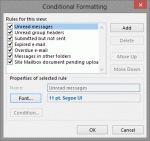
A visitor to OutlookForums wanted to know how to change the colors in Outlook 2013's message list.How do you change the obnoxious color of the email headers on Outlook 2013? The email headers are all this distracting and obnoxious cobalt blue.The message list in Outlook 2010 and older doesn't have "obnoxious colors", but you can change the colors or create new … [Read more...] about Tip 1059: Change the color of messages in the Inbox
Tip 1058: Outlook and POP3 support in Windows 8

Based on the number of questions I'm seeing, there is a lot of confusion about Windows 8's lack of POP3 support. The Windows mail app that you see on the Start screen does not support POP3 accounts. If you are using the Windows 8 Mail app, you need to use IMAP or ExchangeActiveSync for email.Unfortunately, many new Windows 8 users think it means is that Windows 8 doesn't … [Read more...] about Tip 1058: Outlook and POP3 support in Windows 8
Tip 1057: Rename accounts in Outlook 2013
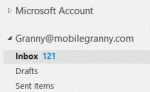
Microsoft made it hard to rename accounts in Outlook 2013. In older versions of Outlook it was easy: Data File names could be changed in the data file's Properties dialog.This works in Outlook 2013 only with POP3 or Personal Folder files. For IMAP and EAS accounts you need to open "Account Properties" from the Send/Receive Groups dialog, which is just the More Settings … [Read more...] about Tip 1057: Rename accounts in Outlook 2013
Tip 1054: Search for all messages from a contact

Outlook contacts have (or had) a feature called Activities that show all Outlook items associated with a contact. This feature was depreciated and is more or less broken in Outlook 2010; it's removed completely from Outlook 2013. The replacement is the people pane in the Social Connector.While I like the people pane search, it's limited in that it only displays 200 … [Read more...] about Tip 1054: Search for all messages from a contact