![Diane Poremsky [Outlook MVP]](http://www.outlook-tips.net/images/2014/MVP_BlueOnly.png)
Good news for Outlook 2013 users: iCloud 2.1 supports Outlook 2013 (both 32 and 64 bit) and Windows 8.After installing iCloud 2, users are complaining that they can't paste text into appointment bodies.To solve some of the issues with syncing appointments between Outlook and the iCloud, Apple removed the rich text editor from the appointment form. This change means … [Read more...] about Tip 1047: iCloud Appointments are plain text
Tips Archive
Tip 1046: Send an email to attendees who haven't responded
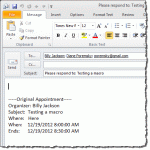
I sometimes get requests for help writing macros from users looking to solve a common problem. In some cases, the macro is fairly simple to write and I think "why did I wait so long to solve this problem?" Today's tip is one such macro.Anyone who sends out meeting requests and has to follow up with people who haven't yet responded will appreciate this tip: an Outlook macro … [Read more...] about Tip 1046: Send an email to attendees who haven't responded
Tip 1045: Where are the IMAP sent messages in Outlook 2013?
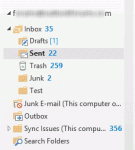
As more people try Office 2013, I'm seeing more complaints and confusion about Outlook 2013's handling of IMAP sent folders.Choosing a Sent FolderI upgraded from Outlook 2010 to Outlook 2013. Is it true that "Saving Sent Messages" on the server is no longer possible with IMAP servers? If not, where are my "Sent Messages"? When I look at a conversation, sent messages … [Read more...] about Tip 1045: Where are the IMAP sent messages in Outlook 2013?
Tip 1044: Using File Send menus and Sent Items folders
In Outlook 2007 and Outlook 2010, IMAP users choose the Sent Items folder but it only uses the designated folder when you start the message in Outlook. If you have an IMAP account and use a File, Send by email command in other applications, the sent message is stored in the local Sent Items folder, not in the IMAP account's designated Sent Items folder.I use the "Send … [Read more...] about Tip 1044: Using File Send menus and Sent Items folders
Tip 1043: Using an Outlook profile with different Outlook versions
With the wider availability of Office 2013, it's time for another reminder: if you are going to try Outlook 2013, it's generally a good idea to make a new profile.Outlook 2013 converts IMAP data files to OST format and converts Outlook Connector accounts to EAS. While Outlook 2013 should be able to make the conversions without issue, a few users have received error … [Read more...] about Tip 1043: Using an Outlook profile with different Outlook versions