![Diane Poremsky [Outlook MVP]](http://www.outlook-tips.net/images/2014/MVP_BlueOnly.png)

If you tried to uninstall the Office 2013 Preview and it did not properly uninstall or it left a lot of bits lying around, Microsoft has a an uninstaller for the Click to Run version. They also have instructions for anyone who prefers to uninstall Office 2013 themselves.Details can be found at How to uninstall or remove the Microsoft Office 2013 Preview suitesAfter … [Read more...] about Tip 1027: How to uninstall Office 2013 Preview
Tips Archive
Tip 1026: Outlook, iCloud2 and the default data file

As of iCloud 2.1.1 (Dec 2012), the iCloud data file can't be set as default.The release of iOS6 brought iCloud2 and a better experience in Outlook. The iCloud doesn't work with Outlook 2013 yet (expect an update after Office 2013 is released to manufacturing and available to the general public), but users who wanted to set the iCloud data file as default get their wish, as … [Read more...] about Tip 1026: Outlook, iCloud2 and the default data file
Tip 1025: Postage Stamp Windows
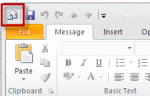
I've seen a rash of complaints lately that the compose mail window in Outlook is the size of a postage stamp. While not common, and seen less often in recent years, it is a sign that Outlook (and the computer) recently had problems with resources - usually too many windows open and not enough memory.Resizing the window, closing it then reopening it will fix it. Do not … [Read more...] about Tip 1025: Postage Stamp Windows
Tip 1022: Stop junk email appointments
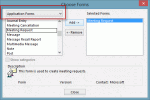
Spammers discovered a better way to get your attention: meeting requests. A meeting request spam will add a tentative appointment to your calendar (or an accepted meeting, if you autoaccept appointments) and pop up a reminder to get your attention. How do I stop spammers from adding appointments (with reminders!) reminders to my calendar? When you get a meeting request … [Read more...] about Tip 1022: Stop junk email appointments
Tip 1021: Copy views in Outlook 2010 or Outlook 2013
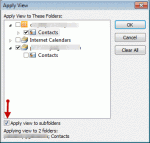
A user had a view he liked in his older version of Outlook but Outlook 2010 messed it up. Provided he has a backup pst that contains the contacts formatted with the view, he can apply the view to other contact folders. Copying views to other folders is supported in Outlook 2010 and Outlook 2013. In older Outlook versions, you can apply views to other folders one at a time. … [Read more...] about Tip 1021: Copy views in Outlook 2010 or Outlook 2013