![Diane Poremsky [Outlook MVP]](http://www.outlook-tips.net/images/2014/MVP_BlueOnly.png)
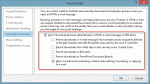
I was so looking forward to a long holiday weekend but I think this is very important... important enough for a rare Saturday tip. A virus infected email is making the rounds, purportedly from Microsoft, updating their service agreement. It looks like the real message but the URLs point to another site, typical of a phishing scheme. The real Microsoft service agreement … [Read more...] about Tip 1020: Microsoft Service Agreement virus and why you should block external content
Tips Archive
Tip 1019: Using date shortcuts to create a series of appointments
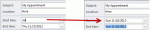
The scenario: you need to schedule 6 appointments in an "uneven" series, where each follow-up appointment has it's own schedule. For example, the first appointment is Day 1, the second is Day 3. The third appointment is in 2 weeks, the 4th in 6 weeks, then they are at 24 weeks, 12 months, and 24 months. Can Outlook do this type of schedule? Yes, but not using recurrences. … [Read more...] about Tip 1019: Using date shortcuts to create a series of appointments
Tip 1018: How to use AutoCorrect to insert Hyperlinks
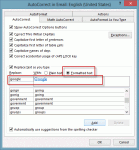
A visitor to outlookforums.com wanted to easily insert hyperlinked urls: Hi, I frequently write emails with a few different hyperlinks in them. Ideally, I would like to have auto-correct replace a word that I type with a correctly formatted hyperlink (blue text w/underline) to a specified website. I tried to do this but all I can get it to do is replace the word with the … [Read more...] about Tip 1018: How to use AutoCorrect to insert Hyperlinks
Tip 1017: Using Outlook and Onenote Together
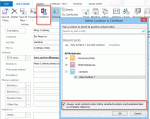
A user was complaining about syncing Contacts between Outlook, Hotmail, and iPhone. She often adds long notes to contacts but Hotmail only supports 1024 characters. My suggestion: OneNote, with the notebook stored in SkyDrive. You can easily link Outlook Contacts to a OneNote notebook, with one page for each contact you link to OneNote. You can copy a hyperlink to the page … [Read more...] about Tip 1017: Using Outlook and Onenote Together
Tip 1016: Print just the Monday to Friday work week in Outlook
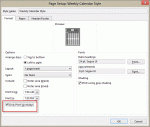
When you print a calendar in Outlook, you can choose to print just your workdays, as set in Calendar options. For most people this is Monday through Friday, but it works with any selection of days. Older versions of Outlook printed all days between the first and last, while newer versions will properly print just the selected workdays. How can I print just the Monday to … [Read more...] about Tip 1016: Print just the Monday to Friday work week in Outlook