![Diane Poremsky [Outlook MVP]](http://www.outlook-tips.net/images/2014/MVP_BlueOnly.png)
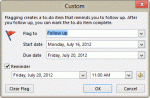
A question came up about a bug in Outlook 2010's Next week flag. An article at Office Online says the reminder on Next Week flags is the first day of the work week. But the user noticed his reminder was set for the last day of the work week. He wanted to know if the article was wrong or if this was a bug. When I tested it, the behavior in the article was correct: when I … [Read more...] about Tip 1007: Next Week flag reminder time bug?
Tips Archive
Tip 1006: Scheduling Outlook rules to turn on and off automatically
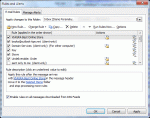
A popular request made by Outlook users is the ability to enable or disable Rules based on the time. I want to turn this rule on when I leave the office and off when I return. I want to run this rule only between 10 AM and 4 PM. Unfortunately, Outlook doesn't have an option to run rules at specific times. If you don't want to run a rule, you need to open Rules Wizard and … [Read more...] about Tip 1006: Scheduling Outlook rules to turn on and off automatically
Tip 1005: Outlook pst file size does not shrink
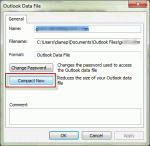
When deleting a large number of Outlook items from a pst file (and emptying the deleted items folder), many users expect to see the pst file size reflect the changes immediately. Unfortunately, that is not how it works with Outlook. I have one single .pst file of 19GB with subfolders for projects inside. Now I am making separate.pst files for individual projects so I can … [Read more...] about Tip 1005: Outlook pst file size does not shrink
Tip 1004: The Case of the Missing Reminder Window Solved

Over the last couple of weeks, I've had a lot of questions about Outlook reminder windows not opening or being "stuck" to the task bar. The common thread is that when the user clicks on the reminder window, it won't come up on screen.Outlook developed a problem I can't seem to get to the bottom of. The reminders window stays attached to the task bar and will only appear as … [Read more...] about Tip 1004: The Case of the Missing Reminder Window Solved
Tip 1003: Default Start and Due Dates for Tasks
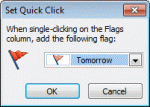
I've written about Tasks and default reminders at least once or twice, but this bears repeating: The default you choose for Quick Click affects the default reminder date and time, as well as the default start and due dates. How you create the new task form plays a part too, even which folder you are looking in when you type in the new item row makes a difference. How do you … [Read more...] about Tip 1003: Default Start and Due Dates for Tasks