![Diane Poremsky [Outlook MVP]](http://www.outlook-tips.net/images/2014/MVP_BlueOnly.png)
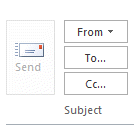
It's a surprisingly common scenario: a user creates a draft message and forwards it to a coworker or manager for approval or additional comments. The message is then supposed to be sent. Except, it can't be sent because the Send button is grayed and disabled. There is no Send button because Outlook doesn't see it as a draft message, it sees it as an attached file. … [Read more...] about Tip 996: How to send a forwarded draft message in Outlook
Tips Archive
Tip 995: Copying Outlook's Voting Results
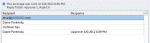
This question came in this week: We sent a message requiring everyone to vote. Now that everyone has voted, how do we post the results in an email to everyone? Well, there is always screenprint... fortunately you won't need it to share voting results. The responses are tallied at the top of the Tracking page and the table can be copied. You can select a single row, the … [Read more...] about Tip 995: Copying Outlook's Voting Results
Tip 994: Subscribe to a Office.com published calendar on an iPad?
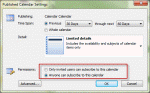
Calendar sharing at Office Online (office.com) was turned off on April 4 2014. After that date you'll only be able to share calendars using this method if you use a server that supports WebDAV.A few Outlook users have asked how to subscribe to a calendar published to Office.com (using Outlook's Calendar publishing feature) from their iPad.If the calendar is published … [Read more...] about Tip 994: Subscribe to a Office.com published calendar on an iPad?
Tip 993: How 'doesn't contain' filters work with multiple conditions
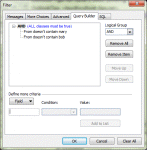
A lot of users end up frustrated and confused when they try to use multiple "doesn't contain" rules in a filter (even I sometimes have trouble with the logic.) When you use "doesn't contain" with two different values, such as "From doesn't contain Mary or Bob", you are asking the filter to do something if either of the conditions are true: If From doesn't contain Mary … [Read more...] about Tip 993: How 'doesn't contain' filters work with multiple conditions
Tip 992: Using Time Shortcuts in Appointments
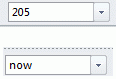
The answer to this question is one of my all time favorite Outlook features: date and time shortcuts. I use Outlook's Calendar for time tracking. Is there a way to automatically insert a start time and end time by clicking on a button? It's very laborious to have to manually enter the start and end time. I'm aware that I could use Journal, but Journal is worthless for other … [Read more...] about Tip 992: Using Time Shortcuts in Appointments