![Diane Poremsky [Outlook MVP]](http://www.outlook-tips.net/images/2014/MVP_BlueOnly.png)

It seems like everyone is having problems printing in Outlook this week. Fortunately, the problem is fairly easy to solve: find and either delete or rename the outlprnt file. This file holds configuration and customization information for print layouts and Outlook will recreate it for you. You can find outlprnt at … [Read more...] about Tip 972: Outlook crashes when you try to print
Tips Archive
Tip 971: Schedule Send and Receive During Certain Hours
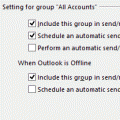
An Outlook user had this question: Is there a way to set Outlook to send/receive only during certain hours of the day? I access a POP3 account on both my iPhone and Outlook. Because it's pulled into both, I end up having to delete mail from that account on both. I thought if I could set Outlook to only send/receive during business hours, when I'm at the PC, mail I delete on … [Read more...] about Tip 971: Schedule Send and Receive During Certain Hours
Tip 970: Disabling Tool Tips on Outlook's Messages
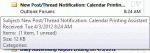
This is one of those tips I need to repeat about every two years... Can I disable the tool tips that come up while hovering over messages and folders in Outlook 2010? Maybe increase the amount of time the mouse hovers over a message before a tool tip displays? They are very distracting and are slowly driving me insane. Outlook drives us all a little insane... No, … [Read more...] about Tip 970: Disabling Tool Tips on Outlook's Messages
Tip 969: Can I make 'this week' the first week of the monthly calendar?
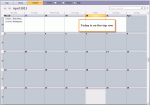
The following is a very popular request from users, especially towards the end of month: I'd like to change the default monthly view in Outlook to show this week and 4 future weeks. Currently it shows the current week and the prior four. Does anyone want to view past weeks more than they do future weeks? It seems like an odd default. While it may seem odd in the digital … [Read more...] about Tip 969: Can I make 'this week' the first week of the monthly calendar?
Tip 968: Display New Message Alert using Rules
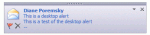
A user asked: I'm using a rule to move messages to a particular folder. When the rule moves messages, I can't see the the popup (Email notifier) which normally comes on the right side of the desktop when I get new mail. How can I see the notifier for messages I move? Those notifiers are called Desktop Alerts or "blue toast" and you can display them using the … [Read more...] about Tip 968: Display New Message Alert using Rules