![Diane Poremsky [Outlook MVP]](http://www.outlook-tips.net/images/2014/MVP_BlueOnly.png)
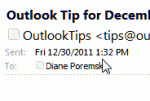
The header in the reading pane or in an open message takes up quite a bit of screen real estate: In older versions of Outlook you can shrink the header down to the subject line by editing the view or by carefully right clicking on the left edge of the reading pane and selecting Header Information to toggle it off and on. In Outlook 2007, only the subject shows (as … [Read more...] about Tip 944: Hide Header in Reading Pane
Tips Archive
Tip 943: Search for Email Sent To or From a Domain
An Outlook user asked how to create a search for a messages sent to or from a domain (eg "@company.com") and include not only email sent to and from himself, but also messages that he was CC'd on. There are three options which will work to varying degrees: 1. A search folder. Choose the 'To or From' predefined search folder and type the domain (microsoft.com format will … [Read more...] about Tip 943: Search for Email Sent To or From a Domain
Tip 942: How to Rotate Photos Attached to an Outlook Email Message and Save the Changes
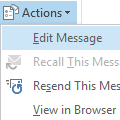
A frustrated user (one of many over the last few days) received photos by email but the attached images need rotated 90 degrees to be viewed correctly. He wants to rotate the pictures and save the rotated image back to the message in Outlook, so the next time he views it, it won't need rotated again. I'm trying to rotate a picture attachment and save it so I can see it in an … [Read more...] about Tip 942: How to Rotate Photos Attached to an Outlook Email Message and Save the Changes
Tip 940: Messages moved using Sent Message Rule are Unread

You can create an "after sending" rule in Outlook to apply a limited number of actions to a message after it's sent. One of the more common uses is to move messages to another folder: I want to arrange Sent Items in folders and want to do it using rules. I created a rule for the sent mail and it's working fine, moving the sent message to the proper folder. However, the … [Read more...] about Tip 940: Messages moved using Sent Message Rule are Unread
Tip 939: View Message Source in Outlook
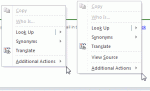
The "View Source" option is sometimes a bit tricky to find in Outlook 2010's reading pane (or in opened messages). When I right-click in the body of an email either in the reading pane or in the separate window containing the email, the "View Source" option is not always in the menu. It's listed for some HTML emails, but not all HTML emails. It's available for all HTML … [Read more...] about Tip 939: View Message Source in Outlook