![Diane Poremsky [Outlook MVP]](http://www.outlook-tips.net/images/2014/MVP_BlueOnly.png)
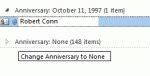
A user wanted to know how to delete all anniversary and birthday items from the contacts section of Outlook 2010. It's actually very easy and doesn't require you to open each contact. Plus, it works with all versions of Outlook. To Edit Contacts To quickly edit Contacts, switch to a list view then add the Birthday and Anniversary fields to the view. Group by one of the … [Read more...] about Tip 926: Delete All Anniversaries and Birthdays
Tips Archive
Tip 925: Outlook and iCloud Headaches
I'm hearing from a lot of people who are having issues with Outlook and iCloud integration. Some of the problems are to be expected: rather than syncing your existing data files as iTunes did, iCloud creates a new data file in Outlook and moves your appointments and contacts to it. This seems to create a lot of confusion when the to-do bar is suddenly bare and calendar and … [Read more...] about Tip 925: Outlook and iCloud Headaches
Changing the Default Country for Contacts
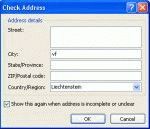
Several users recently asked similar questions. One user wants Outlook to default to Canada when creating new contacts, the other user moved and Outlook is still defaulting to his old country when he creates new contacts. What setting, in what control panel, does Outlook call to default the country when creating a new contact? The default country for my Outlook Contacts is … [Read more...] about Changing the Default Country for Contacts
Tip 923: How to Open Outlook's Email Properties Dialog
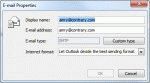
An administrator wanted to know how to open the Email Properties dialog: In outlook 2007 I double clicked the email address once Outlook had underlined it in the To field, then the email properties box opens and I could change the email type to Internet Type. But in outlook 2010 that feature is not there. It's there, its just harder to find in Outlook 2010 and above and … [Read more...] about Tip 923: How to Open Outlook's Email Properties Dialog
Tip 922: Changing the Navigation Pane Font

Many users have a hard time seeing the account names in the Navigation pane folder list - regardless of the Office theme, the font is too small and lacks contrast to read it easily. Brad had this to say It's very difficult to see the names of my Inboxes in Outlook 2010. I found an option under the General tab to change the color scheme to blue, silver or black. In all of … [Read more...] about Tip 922: Changing the Navigation Pane Font