![Diane Poremsky [Outlook MVP]](http://www.outlook-tips.net/images/2014/MVP_BlueOnly.png)
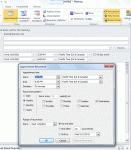
A new feature, introduced in Outlook 2007, allows the user to select the time zone for an appointments. This makes it easier to schedule appointments as you don't need ot use the dual time zone feature or think about what time it is halfway across the country or around the world. However, when you are working with recurring appointments, you need to set the time zone in the … [Read more...] about Tip 932:Setting Time Zones with Recurring Appointments
Tips Archive
Tip 931: How to Create a Rule for All Email Except from One Sender
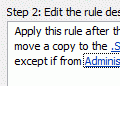
A user asked if it was possible to create a create a rule that would apply to all mail *not* from a particular user. Yes, there are two ways you can do this. The first: Create the rule and add an exception. The rule will read 'for all mail, do whatever, except if from UserA' The Second method: Use 2 rules. The first rule will be 'from UserA, stop processing more … [Read more...] about Tip 931: How to Create a Rule for All Email Except from One Sender
Tip 930: How to Delete a Calendar Published to Office.com
Outlook 2007 and Outlook 2010 have a cool feature that allows you to share your calendar with other users by publishing it to Office.com. To share the calendar you simply right click on it, choose Publish to Internet (Outlook 2007) or Share (Outlook 2010) and follow the wizard to share it with other users. The office.com calendar server will be closed in April 2014. After … [Read more...] about Tip 930: How to Delete a Calendar Published to Office.com
Tip 928: Move Outlook's Calendar into Windows Live Calendar
This question came up recently: "I have Birthdays and other appointments in my Outlook calendar and I can't figure out how to import them into Windows Live Calendar. I have the Outlook Connector installed. I would like the info on my Windows Mobile 7 phone." This is actually easy. To copy (or move) the appointments from your current Outlook calendar to the Hotmail … [Read more...] about Tip 928: Move Outlook's Calendar into Windows Live Calendar
Tip 927: Reply to a Message with a Meeting Request

Outlook Tip 926: Outlook 2010 introduces an often-requested new feature: Reply with a Meeting Request "Can I create an appointment from an email with all the people from the email? Example: I get an email with 5 people in the to/cc lines. I want to right-click and select Create Meeting and Invite These People. Outlook creates an appointment based on that email AND adds … [Read more...] about Tip 927: Reply to a Message with a Meeting Request