![Diane Poremsky [Outlook MVP]](http://www.outlook-tips.net/images/2014/MVP_BlueOnly.png)

Thanks to Shawn for finding this Outlook 2010 Instant Search bug. When you use the individual navigation modules in Outlook 2010 and use search, the More button displays the fields associated with the folder type. For example, if you are in Notes module, you only see notes fields; in Tasks module, you see task fields; in Contacts module, you see contact fields. That's how … [Read more...] about Tip 897: Instant Search's "More" Fields Bug
Tips Archive
Tip 896: Searching with the OR operator (and other search syntax)
In Outlook 2003 (and earlier), using the "Find" command its possible to search on multiple items such as "Johnson, Smith, Jones" and the comma acts as the OR condition.Windows 8 does not include Outlook 2013 items in it's search index. If using Outlook 2010 and older, Outlook items may be listed in Search again in, in the Windows Explorer search ribbon.While the comma … [Read more...] about Tip 896: Searching with the OR operator (and other search syntax)
Tip 894: Changing Folder and Message List Fonts

Question: "I can make the folder icons larger with display settings but when I choose large or extra-large fonts, this has no effect on the fonts used in the folders or the email line items in my inbox."Only Outlook 2010 includes the ability to change the font used for folder names. Look on the View ribbon, Navigation Pane, Options to change the font used for folder names. … [Read more...] about Tip 894: Changing Folder and Message List Fonts
Tip 893: Keep Selected Outlook Subfolders Expanded
A fairly common question from Outlook users is how to keep the folders expanded. Typically, Outlook folders expand only when mail is delivered to a folder using rules but users, especially those who use deeply nested subfolders, would like to keep all of their folders expanded so they are easier to find. While you can't do this with any native Outlook feature (other than … [Read more...] about Tip 893: Keep Selected Outlook Subfolders Expanded
Tip 892: Show More Appointments on Outlook's Calendar
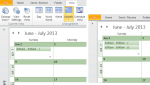
A common complaint: When using the month view on days with several appointments, Outlook only shows the first few, with a down arrow icon which expands to Day view if there are more appointments. Because its easy to overlook the truncated cells in the month view, there is a high probability of overlooking an appointment.Their question always goes something like this: Is … [Read more...] about Tip 892: Show More Appointments on Outlook's Calendar