![Diane Poremsky [Outlook MVP]](http://www.outlook-tips.net/images/2014/MVP_BlueOnly.png)
Many users are excited when they see the field called Custom Priority in the Field chooser dialog, thinking that Outlook finally lets them customize the priority. No such luck. That field is used with SharePoint tasks folders that are linked to Outlook. It won't work on other task folders in Outlook.If you are looking for custom priorities, you're out of luck. Outlook … [Read more...] about Tip 867: Custom Priority field in Microsoft Outlook Tasks
Tips Archive
Tip 864: Send email to a Contact category
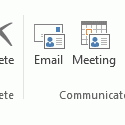
When you assign categories to Contacts you can send an email message to everyone in the category.To do this in Microsoft Outlook 2010 or Outlook 2013, begin by grouping by category then select the category and click the Email button on the Home ribbon's Communicate section. This will open a new email message addressed to the members of the category.While in the Contacts … [Read more...] about Tip 864: Send email to a Contact category
Tip 863: Duplicate Sent Messages in Outlook 2010
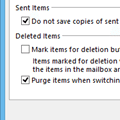
If you have a Gmail account and are getting duplicates in the Sent folder, this is because Outlook saves a sent message in the Sent message folder and some IMAP mail providers do the same, creating two sent message every time you send a message. To stop the duplicates, you need to change the sent message settings in Outlook’s More Settings dialog or change the settings on your … [Read more...] about Tip 863: Duplicate Sent Messages in Outlook 2010
Tip 862: Hotfix for Outlook 2007 Printing Problems
If you were affected by printing problems after installing KB2509470, a new hotfix is available that corrects the printing problems. This hotfix also fixes a few other issues – see the KB article for complete details. Fixed: issue with proposed meeting time not visible in the list of available meeting proposals. Additionally, when you accept the meeting proposal, the meeting … [Read more...] about Tip 862: Hotfix for Outlook 2007 Printing Problems
Tip 861: Outlook 2010: IMAP mail icon (Fixed in SP1)
Note: This hotfix is included in Outlook 2010 SP1. I don't send out many tips on Friday's but knowing how many people complained about some of bugs fixed in the latest Outlook 2010 hotfix, I thought it was worthy of an announcement. A hotfix for Outlook 2010 was released this week (April 2011) and it fixed a number of complaints users had, including IMAP users and the … [Read more...] about Tip 861: Outlook 2010: IMAP mail icon (Fixed in SP1)