![Diane Poremsky [Outlook MVP]](http://www.outlook-tips.net/images/2014/MVP_BlueOnly.png)
It has been brought to my attention that I haven’t written any tips about another method for creating custom SendTo commands: editing the registry. Create a registry key using the desired shortcut name underHKEY_LOCAL_MACHINE\SOFTWARE\Classes\*\shell\Then a key under it named Command. The registry path will look something like … [Read more...] about Tip 854: Another SendTo shortcut method
Tips Archive
How many email address fields should be on a Contact form?
We get questions like the following every couple of months:Email addresses are used for more than sending emails. They are also used by social connector to bring together all information about a contact. Why are contact's limited to 3 contacts? There should be room for an unlimited number of email addresses per contact. Until this is rectified by Microsoft, how can I work … [Read more...] about How many email address fields should be on a Contact form?
Tip 852: Outlook 'standalone' and Spelling and Auto-Correct not working

When a copy of Outlook is purchased and installed, some spell check and autocorrect features will not work. This is expected because Word adds the spelling and autocorrect features and its not available when you install only Outlook.However... there is a hack that will restore some or all of the missing features: copy winword.exe into the folder where outlook.exe is, then … [Read more...] about Tip 852: Outlook 'standalone' and Spelling and Auto-Correct not working
Tip 851: Replies and Forwards are placed in the Inbox, not Sent Items folder
A user complains “When I reply to or forward a message the reply/forward is in my Inbox, not my Sent items folder. This only happens with Hotmail and IMAP accounts, not POP3." Using the option to ‘Save copies with the original if not in the Inbox’ is a known cause. This setting is in Tools, Options, Email options, Advanced in older versions; in Outlook 2010, it’s in … [Read more...] about Tip 851: Replies and Forwards are placed in the Inbox, not Sent Items folder
Tip 850: Hyperlink codes showing
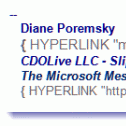
We occasionally receive questions about hyperlink code showing in email – in the form of {Hyperlink “http: // whatever” }. This means you are showing field codes. Press Alt+F9 to toggle them off and on. … [Read more...] about Tip 850: Hyperlink codes showing