![Diane Poremsky [Outlook MVP]](http://www.outlook-tips.net/images/2014/MVP_BlueOnly.png)

Following the installation of the November 10 2015 updates, users may have problems with Outlook crashing when they view HTML messages. Windows 7 64-bit is definitely affected; other versions of Windows may be affected as well.This is caused by Security Update for Microsoft windows (KB3097877). Outlook should work correctly after this update is removed. If the problem is … [Read more...] about Outlook crashes when viewing HTML Messages
Tips Archive
Assigning Free/Busy Permissions
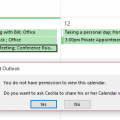
Is it possible to allow colleagues to see the subject and location of any appointment in my calendar, but not to be able to open the meeting request?Sure, you can allow colleagues to see only limited appointment information, such as Subject and Location (in addition to the time) in newer versions of Outlook and Exchange server.Your choices will be time only, time, … [Read more...] about Assigning Free/Busy Permissions
Shortcuts are Missing from the Outlook Icon (Jump List)
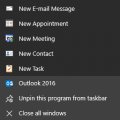
When you right click on Outlook in the task bar, you can select one of the shortcuts from the Jump list. However, it's not uncommon to lose the jump list if you uninstall or repair the Office installation.To fix it, you need to delete a registry key and restart Outlook. If you have Outlook pinned to the start screen and/or taskbar, you need to unpin it before restarting … [Read more...] about Shortcuts are Missing from the Outlook Icon (Jump List)
Outlook 2016’s Attachments icons are huge
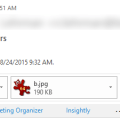
Does the huge attachment icon in the header waste too much of your screen real estate?It’s not too bad if you are using a touch screen, since it’s an easy target for big fingers, but the attachment row is twice as large as it needs to be for desktop users.If you use the compact header (click the caret on right), you can hide the attachments in received messages by … [Read more...] about Outlook 2016’s Attachments icons are huge
Outlook 2016: Excel files won’t preview
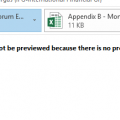
Users who were upgraded to Office 2016 have discovered they can’t preview Excel files in Outlook’s reading pane. When they select an Excel attachment, they receive the following error message:This file cannot be previewed because there is no previewer installed for it.This is due to an incorrect registry entry for the preview handler. While this will be fixed in a … [Read more...] about Outlook 2016: Excel files won’t preview