![Diane Poremsky [Outlook MVP]](http://www.outlook-tips.net/images/2014/MVP_BlueOnly.png)
When you use the Outlook Calendar Printing Assistant and the Year with Images 01 template, you can change the image used for each month by very carefully hovering along the edge of each monthly square then right clicking and selecting the option to change the image. If you don’t get the image menu when you right click, move the mouse around slowly until a screentip about … [Read more...] about Tip 752: Change images in Calendar Printing Assistant
Tips Archive
Tip 751: Task subject on two lines
This week a couple of users asked if there was any way to make the Subject line in a Task two lines. In Outlook 2003 the subject line expanded if it did not fit in one line; now it scrolls. No, unfortunately you can’t change the subject line in Microsoft Outlook 2007 or Outlook 2010 so it expands to two lines instead of scrolling. … [Read more...] about Tip 751: Task subject on two lines
Tip 750: Outlook 2010 and large messages
Outlook 2010 (and 2007, 2013) gets the maximum message size from Exchange server and prevents you from sending the message instead of sending it then bouncing it back. For those without Exchange, the limit is 20 MB. If you need to send larger messages or Outlook is incorrectly telling you the message is too large, you can edit the registry.In Outlook 2010, open the registry … [Read more...] about Tip 750: Outlook 2010 and large messages
Tip 749: Disabling Outlook's Tooltips and Popups
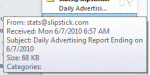
Outlook has several different tooltips, screentips or popups that annoy users: Message List When you hover over messages in Outlook a sometimes rather large screen tip pops up. This screentip shows you the fields in the view that are not completely visible in the message list. You can’t disable these screen tips, or increase the length of time the mouse hovers … [Read more...] about Tip 749: Disabling Outlook's Tooltips and Popups
Tip 748: Open the Calendar automatically
A user asked “Is there a way I can make my Outlook Calendar automatically open to remind of what I've got to do ?” If you want Outlook to run when you start Windows, you need to put a shortcut to Outlook in the startup folder. If you want Outlook to start in the Calendar folder, go to Tools, Options, Other tab, Advanced and select the calendar in the Start up in this folder … [Read more...] about Tip 748: Open the Calendar automatically