![Diane Poremsky [Outlook MVP]](http://www.outlook-tips.net/images/2014/MVP_BlueOnly.png)
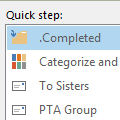
I wasn’t planning on writing about Outlook 2010 for the next few tips, but I thought I should mention a bug in Quick Steps, especially since I recently wrote about Quick Steps on the Office blog.If you have a profile with only POP3, IMAP, or Outlook connector accounts and attempt to create a quick step that sends a message, you’ll need to type (or paste) the address in the … [Read more...] about Tip 747: Quick Steps bug
Tips Archive
Tip 746: Outlook and Junk Email Settings
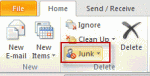
If you have more than one account in Outlook 2010 or Outlook 2013, you can configure different Junk Email settings for each account.Select a folder or message in each account’s data store, then open the Junk Email Options dialog and check the settings.If you are using one Inbox for more than one account, select a message and the settings for the associated … [Read more...] about Tip 746: Outlook and Junk Email Settings
Tip 745: Outlook 2010 and More than 30 Calendars Error
Outlook 2010 has a limit of 30 calendars selected at any one time. If you try to select more than 30, you’ll be alerted: “More than 30 calendars cannot be viewed at once.” It’s surprising to have a limit because Outlook 2010’s Schedule view makes viewing large numbers of calendars much easier – in older versions it was difficult to view more than 13 to 15, even using … [Read more...] about Tip 745: Outlook 2010 and More than 30 Calendars Error
Tip 743: Mark my comments with [Name]
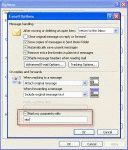
An Outlook user asked: I have no idea what setting I must of hit, but I'm seeing my first name appear in the middle of a sentence with brackets around it, i.e., [name]. It only happens when I'm composing email messages in Outlook. How can I adjust settings to get rid of this nuisance? You should only see this when you reply to messages and type within the … [Read more...] about Tip 743: Mark my comments with [Name]
Tip 742: Outlook 2010 and Shortcuts to Public folders
If you want to use a shortcut to open Outlook to a public folder, you can use the select switch and path to the public folder:Outlook.exe /select "outlook:\\Public Folders\All Public Folders\folder\subfolder"This works great in older versions of Outlook but fails in Outlook 2010 with an error message:Cannot start Microsoft Outlook. Cannot display the selected … [Read more...] about Tip 742: Outlook 2010 and Shortcuts to Public folders