![Diane Poremsky [Outlook MVP]](http://www.outlook-tips.net/images/2014/MVP_BlueOnly.png)
I’ve had several questions the past couple of weeks looking for a prompt to select a folder when sending messages. This is a popular feature in Lotus Notes but while Outlook allows you to set a Sent items folder for every message you send (overriding the Sent folder) it doesn’t pop up a dialog – you need to remember to select the folder before hitting Send, or use a macro to bring up a dialog.
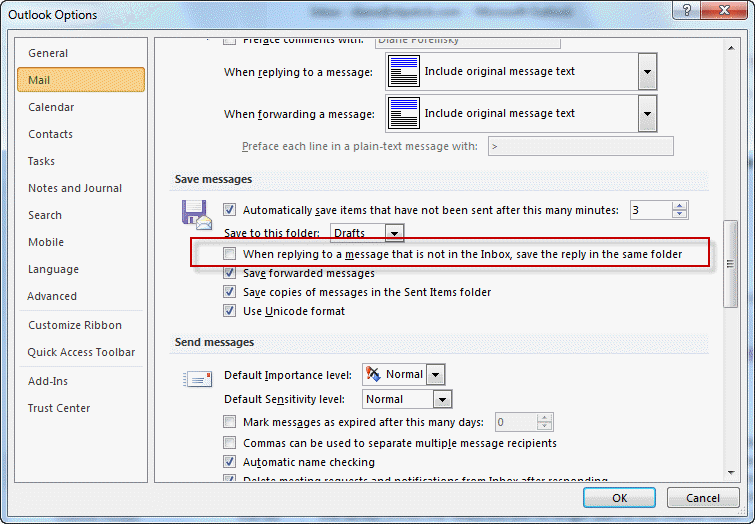
If you use rules to move messages as they arrive, Outlook has an option to save replies in the folders with the originals.
See Choosing the Folder to Save a Sent Message In for a link to the macro and more information on the options available to you.
Published November 16, 2010. Last updated on December 2, 2011.