Tip 751: Task subject on two lines

June 16, 2010
By

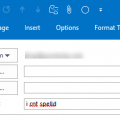
This week a couple of users asked if there was any way to make the Subject line in a Task two lines. In Outlook 2003 the subject line expanded if it did not fit in one line; now it scrolls.

No, unfortunately you can’t change the subject line in Microsoft Outlook 2007 or Outlook 2010 so it expands to two lines instead of scrolling.

Published June 16 2010

Related posts:

Tip 642: Coloring Subject lines
Tip 193: Filter Messages with Blank Subject Lines
Tip 407: Spell Check the Subject Line
Tip 565: Edit the Subject
Tip 638: Copy: [subject]
« « Tip 750: Outlook 2010 and large messages
Tip 752: Change images in Calendar Printing Assistant » »

Leave a Reply

Your email address will not be published. Required fields are marked *

Connect with Facebook

*


Outlook Daily Tips by Email

*  Your Email Address:

Resources

Ask questions and share your knowledge in Outlook Forums.

More Outlook and Exchange articles available at Outlook and Exchange Solutions Center

Follow me on:

Follow @Outlooktips on Twitter   Join Outlooktips on Facebook

Advertise here