![Diane Poremsky [Outlook MVP]](http://www.outlook-tips.net/images/2014/MVP_BlueOnly.png)
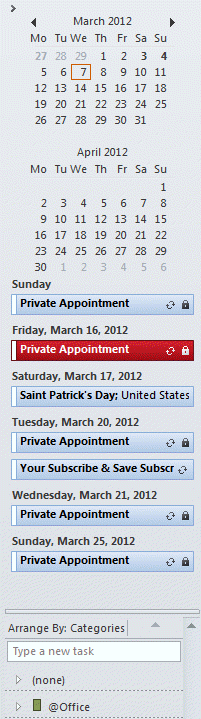 An Outlook user has this question:
“ I can't figure out why my appointments that I have scheduled do not show up in the To-Do-Bar. I have 2 months selected in the View options for the To-Do-Bar but I’m not seeing the appointments.”
The number of navigation calendars you show in the To-Do Bar has no effect on how far ahead you'll see appointments. The appointments you’ll see in the To-Do bar is limited to 30 days out, max, and are limited to space available.
The number of appointments that are listed in the To-do bar is directly affected by the number of navigation calendars and the size of the task list, but even if you have few appointments and plently of room for more, only the appointments coming up within the next 30 days will be shown.
Published February 9, 2010. Last updated on March 7, 2012.