![Diane Poremsky [Outlook MVP]](http://www.outlook-tips.net/images/2014/MVP_BlueOnly.png)
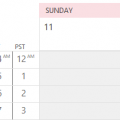
There is a daylight saving time display "bug" that affects both Outlook for Windows and Outlook for Mac. It's not really a bug, but a limitation of the capabilities of the time scale and only affect people who start the week on Sunday. It's also more noticeable if you use Outlook for Windows with two time zones enabled and the default zone is west of the secondary zone. There … [Read more...] about Daylight Saving Time Calendar Display Bug
calendar
Outlook Holiday Error: Election Day
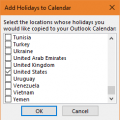
Of all the years to get the date wrong for the US Election day, it had to be this year. Fortunately, it's a week early, so no one is going to miss voting because the calendar was wrong.The HOL file supplied with Outlook 2010 has the US Election day on November 1 (don't we wish!), when it really is November 8. The date was corrected in a later HOL file; on my Outlook 2013 … [Read more...] about Outlook Holiday Error: Election Day
Copy and Paste Appointments
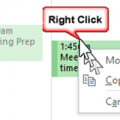
A user complained that he couldn't copy and paste appointments on his calendar.This should be a basic Outlook feature, but NO, Outlook can't do something so simple as copy and paste appointments on a calendar. Really? How stupid!Yes, the Copy command is missing from the right-click context menu, but that doesn't mean it doesn't work.... try using the old standby Ctrl+C … [Read more...] about Copy and Paste Appointments
Assigning Free/Busy Permissions
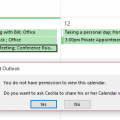
Is it possible to allow colleagues to see the subject and location of any appointment in my calendar, but not to be able to open the meeting request?Sure, you can allow colleagues to see only limited appointment information, such as Subject and Location (in addition to the time) in newer versions of Outlook and Exchange server.Your choices will be time only, time, … [Read more...] about Assigning Free/Busy Permissions
Can Meeting Requests be the Default Item Type?
I have a user who used to be able to double-click on the calendar and a meeting request would populate. Now when she double-clicks an appointment request is the default. I can't figure out how to change such a simple thing.You can't figure it out because it isn't an option. The change in behavior your user noticed could be due to one of two things: the calendar he's … [Read more...] about Can Meeting Requests be the Default Item Type?