![Diane Poremsky [Outlook MVP]](http://www.outlook-tips.net/images/2014/MVP_BlueOnly.png)
We get a lot of questions about missing appointments on the To-Do Bar appointment section:My To-Do Bar is not showing my appointments. Under my 'To-Do Bar' options everything is checked.In addition to missing appointments, some users complain that the wrong appointments are shown.This is always a problem when there is more than one calendar in the … [Read more...] about Tip 963: Which Calendar does the To-Do Bar use?
calendar
Tip 962: Change the Default Calendar for Meeting Requests
This question comes up a lot: Is it possible to change the default calendar to one different from the data file I have mail delivered to? The reason for asking is almost always the same: a user with an Exchange mailbox is using a PST file as the default delivery location and this means the default calendar is also in the PST file. As a result, the meeting is added … [Read more...] about Tip 962: Change the Default Calendar for Meeting Requests
Tip 960: (Another) Calendar Printing Bug
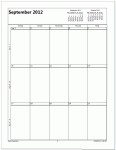
Starting the week on Monday is the cause of this new printing bug. An Outlook 2010 user wanted to print a calendar using the options to print exactly one month per page and to print only the weekdays (Monday - Friday) but with September 2012, the printout included only the first 3 weeks – the last week is missing. The fix: Set the calendar to start on Sunday and the … [Read more...] about Tip 960: (Another) Calendar Printing Bug
Tip 956: Too Many Contact Folders?
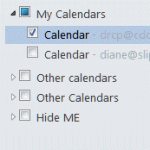
One complaint I get all the time (and often make myself) is about the ridiculous folder clutter on the Contacts and Calendar navigation pane when you have multiple email accounts in your profile.Every account that has it's own data file will have a Contacts and a Suggested Contacts folder. Every Exchange or Hotmail connector account will have it's own Calendar (and often … [Read more...] about Tip 956: Too Many Contact Folders?
Tip 952: Missing Date Picker in Outlook's Print Options Dialog
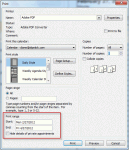
The Print Options dialog in Outlook 2010 does not have date pickers available when selecting a range. I recently was upgraded to Outlook 2010. When I wanted to print a calendar in Outlook, I clicked in the date box and a small calendar would pop up to select the dates from. This has disappeared in Outlook 2010, and now you must remember what dates you want to start and end … [Read more...] about Tip 952: Missing Date Picker in Outlook's Print Options Dialog