![Diane Poremsky [Outlook MVP]](http://www.outlook-tips.net/images/2014/MVP_BlueOnly.png)
My question is this simple... I upgraded from Outlook 2013 to 2016 on Windows 10. Back in Outlook 13 I had "split screen" functionality so I could compare one section of an e-mail with another section of that same e-mail with a very simple horizontal divider and a vertical scrolling bar for each section.I can't seem to find the split screen functionality in Office 2016 … [Read more...] about Using Split Screen in Outlook Email
compose message
Tip 1062: Inserting a picture in an Outlook 2013 email reply
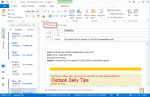
I have Outlook 2013 and can’t figure out how to insert a picture in an email reply. I can insert into a new email but not into a reply. I tried to modify the ribbons to add the command but I can't find the Insert Picture command.When composing replies or forwards in the reading pane, there are limited options available. All of the basic features are available, including … [Read more...] about Tip 1062: Inserting a picture in an Outlook 2013 email reply
Tip 1018: How to use AutoCorrect to insert Hyperlinks
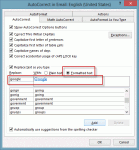
A visitor to outlookforums.com wanted to easily insert hyperlinked urls: Hi, I frequently write emails with a few different hyperlinks in them. Ideally, I would like to have auto-correct replace a word that I type with a correctly formatted hyperlink (blue text w/underline) to a specified website. I tried to do this but all I can get it to do is replace the word with the … [Read more...] about Tip 1018: How to use AutoCorrect to insert Hyperlinks
Tip 875: How to change the +Body style font in Outlook
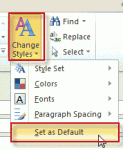
Changing the default fonts in Outlook is easy: just go into the Stationery and Fonts dialog1 and assign new fonts. The font for new mail messages is used for composing HTML email and in the notes field of calendar, contacts, and task items. ("Sticky" Notes have their own font setting.) The font for composing and reading plain text messages is also used when 'read as plain text' … [Read more...] about Tip 875: How to change the +Body style font in Outlook