![Diane Poremsky [Outlook MVP]](http://www.outlook-tips.net/images/2014/MVP_BlueOnly.png)
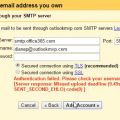
Although I don't recommend pulling Office 365 business mail into a personal Gmail account, I know some users do this. For many, it just works, but others receive errors when they try to set Gmail up to use the Office 365 or Outlook.com SMTP server.I have an Office365 Enterprise email account with a handful of users, one of whom has an aversion to anything Microsoft and … [Read more...] about Pulling Office 365 Accounts into Gmail
email account
How to find out what type of email account is configured
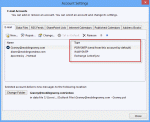
One of the first questions I usually ask when I'm trying to help someone solve a problem with Outlook is What type of email account do you have configured in Outlook? If you don't know the answer, you can look in Outlook's Account Settings. The account type is to the right of the account name. In Outlook 2010 or Outlook 2013, go to File, Account Settings. Accounts … [Read more...] about How to find out what type of email account is configured
Tip 1040: An encrypted connection to your mail server is not available
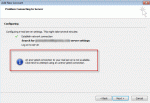
A couple of Outlook users complained this week that Outlook doesn't support the encryption methods their mail server does. They wanted to know how to make Outlook send secure email. An encrypted connection to your mail server is not available. Click next to attempt using an unencrypted connection. Easy: set the account up manually.When you use autodiscover and let Outlook … [Read more...] about Tip 1040: An encrypted connection to your mail server is not available
Tip 934: Separate Email from Multiple Accounts into New Folders
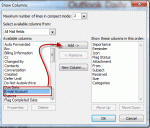
When I set up my email accounts, they all went into one Inbox. I set up separate Inbox folders for each and the new emails are coming in correctly, but how do I get the emails I downloaded first separated into the 5 correct Inboxes? I have 1500 messages, so it's not feasible to look at each one to separate them. It's actually very simple to sort them. Create a custom view … [Read more...] about Tip 934: Separate Email from Multiple Accounts into New Folders
Tip 863: Duplicate Sent Messages in Outlook 2010
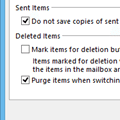
If you have a Gmail account and are getting duplicates in the Sent folder, this is because Outlook saves a sent message in the Sent message folder and some IMAP mail providers do the same, creating two sent message every time you send a message. To stop the duplicates, you need to change the sent message settings in Outlook’s More Settings dialog or change the settings on your … [Read more...] about Tip 863: Duplicate Sent Messages in Outlook 2010