![Diane Poremsky [Outlook MVP]](http://www.outlook-tips.net/images/2014/MVP_BlueOnly.png)
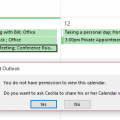
Is it possible to allow colleagues to see the subject and location of any appointment in my calendar, but not to be able to open the meeting request?Sure, you can allow colleagues to see only limited appointment information, such as Subject and Location (in addition to the time) in newer versions of Outlook and Exchange server.Your choices will be time only, time, … [Read more...] about Assigning Free/Busy Permissions
free/busy
Tip 988: View a Sender's Free/Busy in Outlook

Can you view someone's calendar from an email you have received? Currently, I switch to Calendar view and then open up their calendar. Is there an easier way? Sure, there is an easier way. Right click on the sender's name (or any recipient) and choose Schedule a Meeting. This opens a Meeting Request to the Scheduling Assistant page, with the selected person's address and … [Read more...] about Tip 988: View a Sender's Free/Busy in Outlook
Tip 803: Using Free/Busy without Exchange
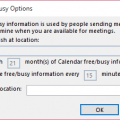
If you don't use an Exchange account, you can’t use Free/Busy unless you (and your contacts) publish free/busy to file server (co-workers) or an Internet server (HTTP or FTP).To share free/busy only with others on your same network, the administrator needs to configure a folder on the network with Read/Change permissions for Everyone, Authenticated users, or Anonymous. To … [Read more...] about Tip 803: Using Free/Busy without Exchange
Tip 624: Free Busy Publishing
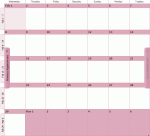
Towards the end of most months we get a few questions that go something like this: We can’t see meeting availability of several people starting on July 1. We can see the meeting availability up until midnight on July 1, then it’s just hashes (No Information) on everyone's calendars. Any idea what's up? Sure, I know what’s up. You are publishing 2 months free/busy – month 1 … [Read more...] about Tip 624: Free Busy Publishing
Tip 456: Free/Busy Publishing
At the end of each month we see a lot of complaints that Free/Busy publishing isn't working because users can only see the next month's free/busy information.We need to plan a meeting more than 2 months into the future but are unable to see others' calendars past September 30. After that, everyone’s schedule shows up as "no information." Is there is a way to change it so … [Read more...] about Tip 456: Free/Busy Publishing