![Diane Poremsky [Outlook MVP]](http://www.outlook-tips.net/images/2014/MVP_BlueOnly.png)
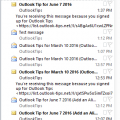
I receive a lot of complaints about the change in the unread message preview option introduced in Outlook 2013. In Outlook 2010 and older, you could show a 3 line preview of Unread messages and no preview for read messages. In Outlook 2013, this was changed to an option of 1, 2 or 3 lines but applies to all messages, read or unread and not everyone likes this change.I spent … [Read more...] about Show AutoPreview for Unread Messages
message list
Tip 970: Disabling Tool Tips on Outlook's Messages
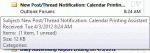
This is one of those tips I need to repeat about every two years... Can I disable the tool tips that come up while hovering over messages and folders in Outlook 2010? Maybe increase the amount of time the mouse hovers over a message before a tool tip displays? They are very distracting and are slowly driving me insane. Outlook drives us all a little insane... No, … [Read more...] about Tip 970: Disabling Tool Tips on Outlook's Messages
Tip 894: Changing Folder and Message List Fonts

Question: "I can make the folder icons larger with display settings but when I choose large or extra-large fonts, this has no effect on the fonts used in the folders or the email line items in my inbox."Only Outlook 2010 includes the ability to change the font used for folder names. Look on the View ribbon, Navigation Pane, Options to change the font used for folder names. … [Read more...] about Tip 894: Changing Folder and Message List Fonts
Tip 749: Disabling Outlook's Tooltips and Popups
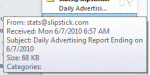
Outlook has several different tooltips, screentips or popups that annoy users: Message List When you hover over messages in Outlook a sometimes rather large screen tip pops up. This screentip shows you the fields in the view that are not completely visible in the message list. You can’t disable these screen tips, or increase the length of time the mouse hovers … [Read more...] about Tip 749: Disabling Outlook's Tooltips and Popups