![Diane Poremsky [Outlook MVP]](http://www.outlook-tips.net/images/2014/MVP_BlueOnly.png)
An Outlook user asked about an annoyance: “When are they going to fix the bug that prohibits saving a graphic embedded in an email? Now I have to copy it, paste it into a graphic program and save it that way.” It’s fixed in Outlook 2010, but that won’t help anyone with older versions of Outlook. You can use File, Save as to save the entire message in HTML format. This … [Read more...] about Tip 741: Saving Images
Tips Archive
Tip 739: Hotfix: Windows Mobile and 12 year Recurrence Issue
Last fall I mentioned a problem Windows mobile users had when syncing birthdays after installing Office 2007 SP2, where they birthdays changed to recur every 12 years. This is now fixed:Description of the Office Outlook 2007 hotfix package (outlook-x-none.msp): April 27, 2010//support2.microsoft.com/kb/981048 This hotfix covers a lot more than just this bug – including a … [Read more...] about Tip 739: Hotfix: Windows Mobile and 12 year Recurrence Issue
Tip 737: Reminders Dialog

The reminder dialog doesn’t always come up “in your face” with Windows 7. If the reminder dialog is minimized to the taskbar and a reminder fires, the taskbar will flash – the window will not come up on the screen. If the reminder window is open in the background, the reminder dialog may come up on screen, depending on what program you are working in. When the … [Read more...] about Tip 737: Reminders Dialog
Tip 735: Contextual Spelling
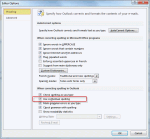
Every so often we see a question from someone asking why Outlook adds an extra space following apostrophes. This isn’t an Outlook problem, but it is a sign we spend too much time in Outlook… This is caused by Contextual spelling in Office. Contextual spelling picks up words that are spelled correctly but used out of context, like there and their or pair and pear. Its disabled … [Read more...] about Tip 735: Contextual Spelling
Tip 734: Outlook 2003 buttons group with Word
I was pretty sure I mentioned this bug previously but can’t find it in the archives, so either I’m bad at searching or didn’t tip it yet… Today’s ‘Outlook 2003 on Windows7’ bug is task bar grouping – when you use Word as the editor, the email buttons group with Word, not Outlook. I don’t expect this to be fixed, although it has been a problem off and on over the years (an … [Read more...] about Tip 734: Outlook 2003 buttons group with Word