![Diane Poremsky [Outlook MVP]](http://www.outlook-tips.net/images/2014/MVP_BlueOnly.png)
Our April scientific poll is about the types of email accounts in your main Outlook profile. We couldn’t cover all the options, so make the choice the best fits your configuration. //forums.slipstick.com/showthread.php?p=138565 As always, no account is required to vote. (Ok, so it’s not scientific :) ) … [Read more...] about Tip 732: New Poll: What is your main account?
Tips Archive
Tip 731: Outlook’s Mailbox Manager
An interesting question came up in the newsgroups recently: “I have a dual boot setup and I want to be able to use the same .pst without having to download same messages twice and I'm trying to figure out where Outlook stores information about the messages it has already downloaded. I've used Regmon and Filemon but I wasn't able to figure it out.”You’ll never find it using … [Read more...] about Tip 731: Outlook’s Mailbox Manager
Tip 730: Custom Flags and Reminder Times
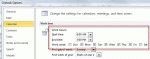
When you use custom flags in Outlook 2007 and 2010, the default reminder time depends on your choice for the Quick Click flag and the start or end time for your work day, set in Calendar options.If Quick click is set to Today, it’s reminder is 1 hour before the end of the work day (set in Options, Calendar options). Custom flags also use this reminder time.When Quick … [Read more...] about Tip 730: Custom Flags and Reminder Times
Tip 729: Reading pane options
If your messages are being marked as read as you browse the Inbox, you need to change the Reading Pane options and disable Mark as read when the selection changes. Go to Tools, Options, Other tab, Reading pane options button. Remove the check from Mark as read when the selection changes. This dialog also contains and option to mark messages read after viewing them for a … [Read more...] about Tip 729: Reading pane options
Tip 728: AutoPreview
A reader had this question: “When my contacts have private notes, I can see the notes in my notes column. The notes are also duplicated on a second line at the beginning of the row, where they can be seen,. How do I disable this?” You need to turn off AutoPreview. To do this, look on the View menu for the Custom or Customize command, then click the Other settings button. … [Read more...] about Tip 728: AutoPreview