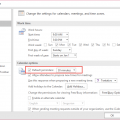
If you create a new appointment by clicking the new button when in the month view, it defaults to 30 min, if you use the day or week view, it uses the same time period as on the time scale.
Published November 14, 2008. Last updated on June 17, 2011.
Learning Microsoft Outlook One Tip At A Time
![Diane Poremsky [Outlook MVP]](http://www.outlook-tips.net/images/2014/MVP_BlueOnly.png)
If you create a new appointment by clicking the new button when in the month view, it defaults to 30 min, if you use the day or week view, it uses the same time period as on the time scale.
Published November 14, 2008. Last updated on June 17, 2011.