![Diane Poremsky [Outlook MVP]](http://www.outlook-tips.net/images/2014/MVP_BlueOnly.png)
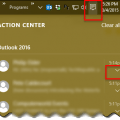
Windows 10 changes how notification are handled and this change will affect Outlook’s New Mail Alert that displays in the corner of the screen.If the notifications are not showing in the corner of your screen, click on the Action Center icon (text bubble icon) in the right corner of your Taskbar to see your previous notifications from apps, including Outlook 2013 or … [Read more...] about Windows 10 and Outlook's New Email Notifications
Outlook 2016 won’t connect to Exchange 2007

Users with Exchange 2007 mailboxes in their profile should not upgrade to Office 2016 as they will be unable to connect to their Exchange mailboxes. When they try to connect they'll receive the following error message:The resource that you are trying to use is located on an unsupported version of Microsoft Exchange. Historically, Outlook is supported on three versions of … [Read more...] about Outlook 2016 won’t connect to Exchange 2007
Outlook Error Ox800ccc13 in Windows 10
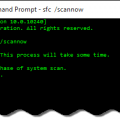
We're seeing a few errors from Outlook users after upgrading to Windows 10, specifically a message reporting problems sending messages. The affected users receive error 0x800CCC13. 'Task 'email address alias@domain.com- Sending' Cannot connect to the network. Verify your network connection or modem.'.Reinstalling or repairing the Office install, making new profiles and … [Read more...] about Outlook Error Ox800ccc13 in Windows 10
Outlook Attachments are Slow to Open
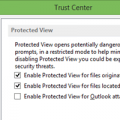
I have a new Windows 8.1 computer. When I try to open a spreadsheet that is attached to an email, it takes 5-8 minutes for Excel to open the file. A banner at the top says it is opening in Protected View, and is extremely painful and slow.Try turning off Protected View. You'll need to make this change in Excel's (and/or Word's) Trust Center, not within Outlook. … [Read more...] about Outlook Attachments are Slow to Open
Outlook's Navigation Pane and Favorites Q&A
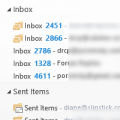
After using Outlook for awhile and organizing mail and contacts into subfolders, people often ask how to maintain the folder and subfolder structure in the Navigation pane and Favorites list.I use subfolders to organize my mail and contacts. Can I add a parent folder to Favorites and have the subfolders added automatically? Can I indent my subfolders on the Navigation … [Read more...] about Outlook's Navigation Pane and Favorites Q&A