![Diane Poremsky [Outlook MVP]](http://www.outlook-tips.net/images/2014/MVP_BlueOnly.png)
A user had this question: Is it possible to have an email filter on Outlook that sends emails to a folder but also shows up in your Inbox so I don't miss any emails? Sure, you could do this with a rule that copies the message to another folder, but why would you want to create duplicate messages when you could use an Unread Search folder to display all unread messages in the … [Read more...] about Use an Unread Search Folder to Find Messages
Turn Off the Metered Network Warning in Outlook
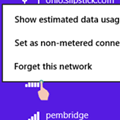
I often connect my laptop to the internet using my phone as a hotspot. Outlook recognizes that the network is a metered network and asks if I want to connect to the network. I have an unlimited data plan, so I do want to always connect. Is there a way to tell Outlook to not ask when on a metered connection? The metered network is a Windows network setting, not Outlook. To … [Read more...] about Turn Off the Metered Network Warning in Outlook
Archiving Last Year's Email
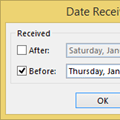
It’s a new year and many people like to start off with a clean mailbox. I created a new pst in Outlook for 2015, making the 2014 PST an archive of sorts. I’ve been doing it this way for years, so I have some 16,000 messages stored on the server. How can I avoid downloading all of the messages again? Because the Mailbox Manager file that Outlook uses to identify the last … [Read more...] about Archiving Last Year's Email
Outlook Duplicates RSS Items
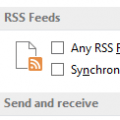
Questions about RSS Feeds came up this week.I have a number of RSS feeds added to Outlook but I have a problem: Outlook keeps duplicating some posts.Outlook has a setting to have RSS Feed items that are updated to appear as new. You can change this setting in Options.In Outlook 2010 or Outlook 2013, go to File, Options, Advanced and remove the check from Any RSS … [Read more...] about Outlook Duplicates RSS Items
Export only Contact's Name and Email Addresses
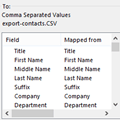
How do I export just the name and the email addresses from all of the contacts in a folder to a CSV file? That's actually really easy to do. When you use the Import and Export wizard, you'll have an option on the last dialog to Map Custom Fields. Map Custom Fields allows you to remove any fields you don't want in the export and add just the ones you want to include in the … [Read more...] about Export only Contact's Name and Email Addresses