![Diane Poremsky [Outlook MVP]](http://www.outlook-tips.net/images/2014/MVP_BlueOnly.png)

The reminder dialog doesn’t always come up “in your face” with Windows 7. If the reminder dialog is minimized to the taskbar and a reminder fires, the taskbar will flash – the window will not come up on the screen. If the reminder window is open in the background, the reminder dialog may come up on screen, depending on what program you are working in. When the … [Read more...] about Tip 737: Reminders Dialog
Tip 735: Contextual Spelling
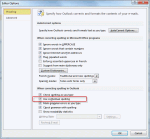
Every so often we see a question from someone asking why Outlook adds an extra space following apostrophes. This isn’t an Outlook problem, but it is a sign we spend too much time in Outlook… This is caused by Contextual spelling in Office. Contextual spelling picks up words that are spelled correctly but used out of context, like there and their or pair and pear. Its disabled … [Read more...] about Tip 735: Contextual Spelling
Tip 734: Outlook 2003 buttons group with Word
I was pretty sure I mentioned this bug previously but can’t find it in the archives, so either I’m bad at searching or didn’t tip it yet… Today’s ‘Outlook 2003 on Windows7’ bug is task bar grouping – when you use Word as the editor, the email buttons group with Word, not Outlook. I don’t expect this to be fixed, although it has been a problem off and on over the years (an … [Read more...] about Tip 734: Outlook 2003 buttons group with Word
Tip 732: New Poll: What is your main account?
Our April scientific poll is about the types of email accounts in your main Outlook profile. We couldn’t cover all the options, so make the choice the best fits your configuration. //forums.slipstick.com/showthread.php?p=138565 As always, no account is required to vote. (Ok, so it’s not scientific :) ) … [Read more...] about Tip 732: New Poll: What is your main account?
Tip 731: Outlook’s Mailbox Manager
An interesting question came up in the newsgroups recently: “I have a dual boot setup and I want to be able to use the same .pst without having to download same messages twice and I'm trying to figure out where Outlook stores information about the messages it has already downloaded. I've used Regmon and Filemon but I wasn't able to figure it out.”You’ll never find it using … [Read more...] about Tip 731: Outlook’s Mailbox Manager