![Diane Poremsky [Outlook MVP]](http://www.outlook-tips.net/images/2014/MVP_BlueOnly.png)
An Outlook 2013 user asked this question recently:In Outlook 2010 I often drag and drop emails to a certain date in the calendar to-do pane. In Outlook 2013 I am not able to do that. How come?When Microsoft replaced the To-do Bar with the Peeks, they used a different navigation calendar control and it does not support drag and drop.You can't drag to the navigation … [Read more...] about Drag and Drop Email in the Calendar to Create Appointments
Setting a fixed Column Width in Outlook
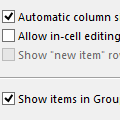
Sometimes when I slide the width of the columns (from, to, date, etc) all of the individual column widths are stretched. Sometimes they are fixed width - I want that because when they stretch I need to resize all of the columns. How can I force a fixed width? Selecting fixed width in View Settings doesn’t do it.Open View Settings, Other Settings and uncheck Automatic … [Read more...] about Setting a fixed Column Width in Outlook
Group by Category and Sort by Date
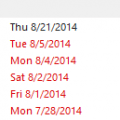
I have several categories of tasks and use the Categories arrangement but I find that my tasks are sorted in a random way. Is there a way to sort by Due Date within the category?Sure. As you've noticed, if you try sorting by Due Date or click the Due Date button in Arrangement, you lose the Category grouping, but by editing the view you can make it do exactly what you … [Read more...] about Group by Category and Sort by Date
Add EU to Outlook's International Blocked TLD list
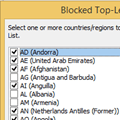
Several users wanted to block mail coming from the top-level EU domain but “EU" isn't among the TLD's listed in International , Blocked Top-Level Domain List.While you can’t change the Blocked Top-Level Domain list, you can block EU (and UK, which is also missing). The International TLD’s that are in the Junk Email filter are stored in the registry under the Outlook … [Read more...] about Add EU to Outlook's International Blocked TLD list
Import a CSV file into Outlook Contacts
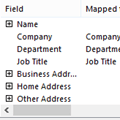
I’ve attempted several times to import my address list without any success. Outlook will import the names, but not the email addresses.That the addresses aren't importing but the names are tells me that Outlook didn't import the addresses because the field names in your CSV don't match with the field names in Outlook.When Outlook imports, the fields names in your … [Read more...] about Import a CSV file into Outlook Contacts