![Diane Poremsky [Outlook MVP]](http://www.outlook-tips.net/images/2014/MVP_BlueOnly.png)
Last week I told you how to disable Norton Antivirus's Office document scanner and a couple of people thought it was unwise and highly dangerous to disable the Office plugin. So how dangerous or unsafe is it to disable your antivirus's document scanning features? Like everything else, it depends on the person and the network and common sense prevails. Because antivirus … [Read more...] about Tip 249: More Antivirus Comments
Tip 248: Disabling Antivirus Document Scanning
It's often annoying to wait for Norton's antivirus scanner to complete when you open a document - it's also a waste of your time if you have it set on 'autoprotect' as that causes it to scan every write to the drive and even documents opened right from an email are written to the drive before opening. In recent versions of Norton Antivirus: Open the Options dialog and click … [Read more...] about Tip 248: Disabling Antivirus Document Scanning
Tip 247: Printing emails
A reader asked about printing email and attachments as messages arrived in the Inbox:"Is there a program that when a e-mail arrives in Outlook that it will print it out? Or one that prints the attachments all of them at once? Instead of opening the e-mail and then one by one opening and print the attachment?"Newer versions of Outlook support printing email using rules … [Read more...] about Tip 247: Printing emails
Tip 246: Using Custom Voting Buttons
Do you use custom voting buttons? While you can't edit the list of choices, you can prevent the need to retype your choices by saving a template or publishing a custom form after entering the choices and completely other information that will remain the same on each message. Remember - if you use Word as your editor, you need to use the Outlook editor to save a template. You … [Read more...] about Tip 246: Using Custom Voting Buttons
Tip 245: Outlook's Desktop Alerts Settings
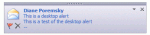
Outlook 2003 (and up) users can change how long the Desktop Alert is displayed. This is the blue rectangle which displays on the screen when new mail arrives and is also known as ""toast"". (It's not to be confused with the New mail alert window which is controlled by Rules and supported in all versions of Outlook.) The easiest way to configure it is using the … [Read more...] about Tip 245: Outlook's Desktop Alerts Settings