![Diane Poremsky [Outlook MVP]](http://www.outlook-tips.net/images/2014/MVP_BlueOnly.png)
Effective September 27, 2004, HTTP support for Hotmail and MSN accounts was discontinued. At this time, only new subscribers or accounts that never used HTTP access are affected. Accounts that use the HTTP protocol will continue to have access until Sept 2009. After that, users will need to use the Outlook Hotmail Connector. Hotmail now supports POP3 for all users. See … [Read more...] about Tip 188: Hotmail's HTTP Access Ends
Tip 186: Make FireFox the Default Browser
Do you want use FireFox as your default browser but Outlook won't use it when you click on hyperlinks? First, make sure Firefox is set as the default browser on it's Tools, Options menu. If it is set as the default and either two browser windows open or a File Open dialog opens along with a browser window, then you need to remove the check from Use DDE on the HTTP protocol. … [Read more...] about Tip 186: Make FireFox the Default Browser
Tip 185: Taskpad Views
Do you want to see tasks for selected dates on the Taskpad in Outlook's calendar? Change the view to "Active Tasks for selected dates" then click on a date, holding Shift or Control to select additional dates. Note that Outlook's default is Due date only, a start date is optional and unless you have a start date set, Tasks due in the future are considered Active until they … [Read more...] about Tip 185: Taskpad Views
Delete a message stuck in Outlook's Outbox

If you attempt to send a message that is too large for your mail server you may be unable to delete it from the Outbox. If you try to open it (to remove attachments) or delete it, an error will say that Outlook has begun transmitting the message.We have three methods listed below that can be used to remove the stuck message. The first two methods are the easiest and either … [Read more...] about Delete a message stuck in Outlook's Outbox
Tip 183: Sort Messages by Deleted Date in Exchange mailboxes
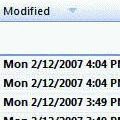
This tip works with Exchange server mailboxes and Outlook.com (EAS) accounts. It will not work with PST files or IMAP data files.Do you want to sort your Deleted Items folder by the date deleted? You'll need to add the Modified Date field to the view.Right click on the row of field names and choose Customize current view. Click the Fields button. Select Date and … [Read more...] about Tip 183: Sort Messages by Deleted Date in Exchange mailboxes