![Diane Poremsky [Outlook MVP]](http://www.outlook-tips.net/images/2014/MVP_BlueOnly.png)
This tip is from one of our readers. Outlook's Forward and Back buttons (on the Advanced and Web toolbars) hold a history of the folders you've previously visited and you can use them to jump back and forth between folders, instead of using the folder list. Keyboard shortcuts are: Forward = Alt+Right arrow Back = Backspace or Alt+Left … [Read more...] about Tip 182: Browsing Folders
Tip 181: Copy Appointments
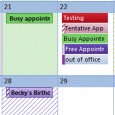
Question:Is there any way to copy an appointment from one day to another?Answer: Yes! Select the date. If you enter 'edit mode' (you most likely will), press Esc, then Ctrl+C to Copy and Ctrl+V to paste it on the new date. The time should remain the same unless you paste it into a Day planner view, where it picks up the new as well as the new date. … [Read more...] about Tip 181: Copy Appointments
Do You Accidentally Close Outlook?
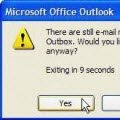
Today's tip is from my son and it works in all versions of Outlook except 2000. (See Tip 184 below for Outlook 2000's method.) Outlook 2010 RTM has a bug that prevents this dialog from coming up. It also requires a slightly different method to trigger this warning.Tip 180: Do You Accidentally Close Outlook?Do you accidentally close Outlook when you mean to minimize it … [Read more...] about Do You Accidentally Close Outlook?
Tip 179: Disable the Acrobat Addin

If you use Adobe Acrobat, Outlook has a Send as PDF button on the toolbar. If you want to remove the button, you need to disable the COM add-in.Normally, you can disable an add-in from the COM Add-ins dialog, in Tools, Options, Other tab, Advanced Options, COM Add-ins or Add-in Manager (Outlook 2003 and older) or from the Trust Center, Add-ins dialog in newer versions. The … [Read more...] about Tip 179: Disable the Acrobat Addin
Tip 178: When Today isn't Today
When is today not today? When the month started on a weekend (as August 2004 did) and you either you use the compressed weekend view or have the calendar set to begin the week on Monday. The last week of the previous month will be shown at the top of the screen, ending with the first day or two of this month at the end of the week. The last week is off the bottom of the screen … [Read more...] about Tip 178: When Today isn't Today