![Diane Poremsky [Outlook MVP]](http://www.outlook-tips.net/images/2014/MVP_BlueOnly.png)

A reader asks:I have added a custom field on contacts which calculates the contact's age using this formula: IIf([Birthday]<>"None",DateDiff("yyyy",[Birthday],Date())-IIf(DateDiff("d",CDate(Month([Birthday]) & "/" & Day([Birthday]) & "/" & Year(Date())),Date())<0,1,0),"")I see a recurring event on the birthday in the Calendar which … [Read more...] about Tip 161: Custom Field Formulas
Tip 160: This Machine Only Rule
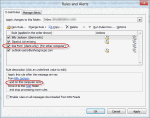
When you create a rule in Outlook 2003 (and up), it's often marked 'For this machine only' (or "this computer only" in later versions) this means the rule is a client side rule and will only run on the machine it was created on. This prevents rules from being automatically disabled when the rule fails after opening an Exchange mailbox from another computer. Since POP3 and … [Read more...] about Tip 160: This Machine Only Rule
Tip 159: Troubleshooting Outlook 101
The first step in troubleshooting problems with Outlook is to try a new profile, except for Outlook 98/2000 in Internet mode only. Since it has only one profile, many users want to hold off deleting it, so it can be the "if all else fails" step. The next step is deleting or renaming outcmd.dat (custom toolbars) and *.srs (send and receive settings) in the Outlook profile … [Read more...] about Tip 159: Troubleshooting Outlook 101
Tip 158: Who Owns a Task?
How do I find out who created a contact or task? How do I find out when a task was modified? These and many other questions are easily answered by adding the appropriate fields to a view. To learn which account created a task, add the From or Organizer field to the view. Modified and Created dates each have their own fields. Tip: You can use any field from any item type. … [Read more...] about Tip 158: Who Owns a Task?
Tip 157: Nail Your Notes
Does it annoy you that Outlook Notes can't be set to stay on top of other windows?Outlook doesn't have a built in way of keeping a window on top, but at least one small tray application can nail any window on top.DeskPins is my new favorite and it works in Windows 7 too. :)To use it, right click on the tray icon and choose Pin. Click anywhere in the window to keep … [Read more...] about Tip 157: Nail Your Notes