![Diane Poremsky [Outlook MVP]](http://www.outlook-tips.net/images/2014/MVP_BlueOnly.png)
I have a user who is managing several calendars on her Outlook. When she sends a meeting request to the users, she can see the appointments updated on her screen in those respective calendars except for one. One shared calendar doesn't update until the user manually accepts it in his Outlook. How can I solve this?Check the user's auto-accept settings in File, Options, … [Read more...] about Tip 1108: Add meeting requests to Calendar as Tentative
Tip 1107: Outlook's Touch Mode
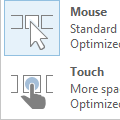
The Office 2013 and above applications have a Touch/Mouse Mode command available on the QAT. When Touch mode is enabled, the buttons on the ribbon are a little roomier, the menus as little wider.To display the Touch/Mouse Mode command on the Quick Access Toolbar (QAT), expand the QAT menu and select Touch/Mouse Mode. … [Read more...] about Tip 1107: Outlook's Touch Mode
Tip 1106: Outlook's Restore Window button doesn't work?
A surprisingly common problem is Outlook appears to be stuck with the window either Minimized or Maximized. When the Restore button is clicked, Outlook disappears.When I start Outlook, it starts minimized. It never starts maximized. When I try to Restore the window by clicking on the icon between the minimize button and the close application button, the entire program … [Read more...] about Tip 1106: Outlook's Restore Window button doesn't work?
Tip 1105: Attachments are opening in full screen

This question comes from a new Windows 8 user:I'm using Windows 8 and my attachments open at full screen. What is wrong?Windows 8 includes default apps, such as for viewing images and videos, reading PDF files, etc. Unlike the traditional desktop applications (which are also included in Windows 8 Pro), the apps open the attachment only at full screen.To close an … [Read more...] about Tip 1105: Attachments are opening in full screen
Missing your Outlook 2013 navigation pane?

Official Response and explanation from Microsoft: Outlook 2013 Folder Pane Disappears After Installing September 2013 Public Update If you lost your navigation pane after installing the September patches, you'll get it back after you install the August 13 2013 hotfix. Read about the hotfix at Description of the Outlook 2013 hotfix package (Outlook-x-none.msp): August … [Read more...] about Missing your Outlook 2013 navigation pane?