![Diane Poremsky [Outlook MVP]](http://www.outlook-tips.net/images/2014/MVP_BlueOnly.png)
As people upgrade to smartphones and configure email on the phone, they discover POP3 accounts aren't necessarily the best when you need access the account from multiple devices. They switch to IMAP but discover it behaves differently than the POP3 account did in Outlook 2007 and older.This user is using Outlook 2007 but IMAP works the same way in older versions as well. I … [Read more...] about Tip 1100: Outlook and IMAP accounts
Tip 1099: Outlook 2013 Upgrade to Color Categories doesn't work
The Upgrade to Color Categories feature doesn't work as expected in Outlook 2013. When you open an existing .pst or import categorized items into Outlook 2013 and run upgrade to color categories, the categories are not added to the Master category list.You have two options to add the categories to the master list:If you have a list of the category names, you can use a … [Read more...] about Tip 1099: Outlook 2013 Upgrade to Color Categories doesn't work
Tip 1098: Searching for messages from a contact
When you needed to find messages and other Outlook items associated with a contact in older versions of Outlook, you could use the Activities page on the contact see everything linked to that contact. However, Activities was removed from Outlook 2013. While the People Pane replaces some of the functionality of Activities, it is limited to the last 200 items (but that can be … [Read more...] about Tip 1098: Searching for messages from a contact
Tip 1097: Outlook folders named "the file so that changes to the file will be reflected in your item"
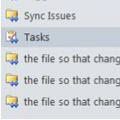
Every now and again we see a complaint that Outlook is creating duplicate folders in the folder list, is creating folders with <0w> in the name, or folders named "the file so that changes to the file will be reflected in your item".Seriously, that is the folder name.Additionally, you may not be able to delete the folders.This problem comes and goes … [Read more...] about Tip 1097: Outlook folders named "the file so that changes to the file will be reflected in your item"
Tip 1096: Hide Events on your Outlook Calendar
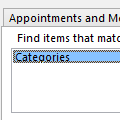
This request came from an Outlook user:Ideally, I would like to be able to right click an event and have an option to "hide this event" from my view. I haven't been able to figure out a way to create a custom view that hides the events I don't want to see without hiding the ones I do need to see.While Outlook doesn't have a right-click > Hide command, you can get … [Read more...] about Tip 1096: Hide Events on your Outlook Calendar