![Diane Poremsky [Outlook MVP]](http://www.outlook-tips.net/images/2014/MVP_BlueOnly.png)
Need a new Outlook 2002 or Outlook 2003 profile? See Creating a New Outlook 2002/2003 Profile. For Outlook 2000, see Creating a New Outlook 2000 Profile If Outlook is open, close it. Go to Control Panel, Mail - it's in the User Accounts category or switch to Classic view. In 64-bit versions of Windows you'll find Mail under the 32 bit group. Alternately, you can … [Read more...] about How to create a new Outlook 2007 or 2010 profile
How to Create a New Outlook 2000 Profile
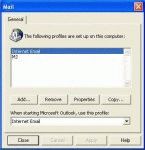
Outlook 2002/20023 and Outlook 2000/98 in Corporate/Workgroup mode allow you to have as many profiles as you want. Generally, we recommend one profile per computer user (creating a Windows user account for each user is best, especially if you use Windows XP, but more hassle if you use Windows 98/ME). If you use Outlook for personal and business email, you'll probably want two … [Read more...] about How to Create a New Outlook 2000 Profile
What is the SRS file? (And where is it?)

I frequently tell people to "delete the SRS" to fix problems with send and receives, especially when Outlook crashes when they try to view the Send and Receive menu or do a send and receive. If you haven't guessed yet, SRS is the send and receive settings file. It holds the configurations found in the Send and Receive dialog that comes up when you press Ctrl+Alt+S. I have no … [Read more...] about What is the SRS file? (And where is it?)
Icons found in the Inbox, Message Headers, and Toolbars

On this page we have the icons you may see in your Inbox, Sent folder, or in the message header in Outlook 2013 and above.Outlook 2013 aims for a cleaner look and many default icons, such as read and unread envelopes are gone. In the case of Unread, the envelope was replaced by a blue bar to the left of the message. Mail | Calendar & Tasks | Contacts & … [Read more...] about Icons found in the Inbox, Message Headers, and Toolbars
Outlook's Calendar and Task Icons

The following are icons you may see in Outlook 2013, Outlook 2016, or newer Calendar folders. If you have an older version of Outlook, the icons will be similar in most cases. Calendar Icons In current versions of Outlook, the Daily, Week, and Monthly calendars won't display icons by default. You'll need to turn on the option to Show bell icon on the calendar for appointments … [Read more...] about Outlook's Calendar and Task Icons