![Diane Poremsky [Outlook MVP]](http://www.outlook-tips.net/images/2014/MVP_BlueOnly.png)
Anyone who reads my tips and newsletters knows one of my favorite Outlook features is date shortcuts and natural language capabilities. Most date fields accept shortcuts or phrases (like a "week before Christmas") and converts to the proper date. Another of my favorite features is Filters (used with Advanced find, Search folders, Automatic formatting and Views). The Advanced … [Read more...] about Tip 842: Natural language filters
Change or cancel meetings without sending update messages

Outlook users often ask how they can edit a meeting request and not send updates to the attendees. I need to change the location of an Outlook meeting and do not want to send the update to the other 15 people on the invite list. Or, the Outlook user has duplicates of a meeting which the attendees have accepted and is looking for a way to delete the duplicates without sending … [Read more...] about Change or cancel meetings without sending update messages
Tip 840: Outlook's Choose Profile Dialog
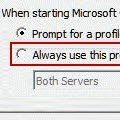
If you use the Google Calendar sync utility to sync your Google calendar with Outlook and are constantly asked to select a profile, verify you have the most recent version of the Google Calendar Sync tool installed. Note: Other utilities can cause this dialog to come up too. Any application that accesses Outlook data in a specific profile can bring up this dialog. Leaving … [Read more...] about Tip 840: Outlook's Choose Profile Dialog
Tip 839: Send email to a category
If you assign categories to Contacts, you can send an email message to everyone in the category. To do this in Outlook 2010, begin by grouping by category then select the category and click the Email button on the Home ribbon's Communicate section. This will open a new email message addressed to the members of the category. The steps are similar in older versions: … [Read more...] about Tip 839: Send email to a category
Tip 838: Blackberry Desktop and Outlook 2010 64-bit
The long awaited update to the Blackberry Desktop application is now available – with it, users can sync with Outlook 2010 64-bit. Blackberry users can download it from //us.blackberry.com/apps-software/desktop/desktop_pc.jsp … [Read more...] about Tip 838: Blackberry Desktop and Outlook 2010 64-bit