![Diane Poremsky [Outlook MVP]](http://www.outlook-tips.net/images/2014/MVP_BlueOnly.png)
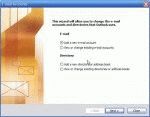
Outlook 2002/2003 and Outlook 2000/98 in Corporate/Workgroup mode allow you to have as many profiles as you want. Generally, we recommend one profile per computer user (creating a Windows user account for each user is best, especially if you use Windows XP, but more hassle if you use Windows 98/ME). If you use Outlook for personal and business email, you'll probably want two … [Read more...] about Create a new Outlook 2002 or Outlook 2003 Profile
Tip 822: How to print a 5 week calendar
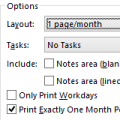
Would you like to print a "monthly" calendar that runs mid-month to mid-next-month? Begin by adjusting the monthly calendar so it displays the first week you want printed at the top of the screen. Next, open the print dialog. If you see a full month in print preview, go to Page Setup and uncheck the option to print exactly one month per page.In Outlook 2010 and 2013, … [Read more...] about Tip 822: How to print a 5 week calendar
How to create a "No Mail" Account in Outlook
Many users prefer using another email client for email but want to use Outlook for calendar and tasks. To avoid problems, such as Outlook downloading mail and deleting it from your mail server, it's generally better to create a "no mail" profile. In Outlook 2016 and newer, you need use use the command line switch, /PIM, to start Outlook with a new, no mail, … [Read more...] about How to create a "No Mail" Account in Outlook
Send Links by E-mail in Windows XP
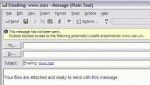
Note: This app is not needed in Windows 2003 Server (and newer operating systems) or if you have the hotfix (Q 327010) for Windows XP (but you can use it anyway). The Hotfix may be included in Windows XP SP2. In new versions of Windows, the Send link by email command inserts a text link into the message, not an attachment. It's always annoyed many people that … [Read more...] about Send Links by E-mail in Windows XP
Outlook 2000 on Windows 7: Missing WAB.dll

Outlook 2000 in Internet Only mode errors on Vista and Windows 7 because the WAB (Windows Address Book) it uses for its address book is missing. You can try copying the WAB.dll and registering it. This will fix one error but you may have other issues. Browse to C:\Program Files\Common Files\System (on your Vista or Windows 7 computer) and copy wab32.dll and wab32res.dll … [Read more...] about Outlook 2000 on Windows 7: Missing WAB.dll