![Diane Poremsky [Outlook MVP]](http://www.outlook-tips.net/images/2014/MVP_BlueOnly.png)
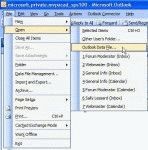
Installing custom forms from the Microsoft Application farm isn't hard. In most cases, it's as easy as opening the form, or was until Outlook security was tightened down. Now you need to publish the forms yourself. It's still easy but requires a few more steps and a few minutes of your time. Download and run the exe for the form. This extracts the pst containing the form … [Read more...] about Publishing Microsoft Outlook "Application farm" Custom Forms
Return an email to the sender

We see a lot of questions that go something like this: I would like to not only block particular emails but also send them back to the sender so they know they've been rejected. Is that possible. Right now I can only send them to the Junk email folder. Thanks. Yes, you could do this (using an autoreply rule), but why? If the message is from a spammer with a legitimate … [Read more...] about Return an email to the sender
Changing Outlook's Reply Format
Outlook's behavior with the reply format is to reply in the format of the original message. If someone sends you plain text message, the reply will always be plain text, because Outlook (rightfully so) assumes the sender prefers mail in that format or can only accept mail in that format. This is good netiquette. In past years, the reasoning behind the decision not to … [Read more...] about Changing Outlook's Reply Format
How to always reply using a different email account
If you have two (or more) email accounts collecting email and always want to send replies using the default account, Outlook always uses the receiving account when you reply. You can select the correct sending account when you reply, but it's easy to forget to do this. Is there a better way? Yes, provided you never want to send messages using the second account, you … [Read more...] about How to always reply using a different email account
Tip 820: Printing Contacts on one page
Older versions of Outlook had an option that allowed you to print multiple items on one page in a continuous fashion. This allowed you to save paper while printing the complete items. The option to do continuous printing was removed from Outlook 2007 and 2010 and the Memo style forces each item on a separate sheet of paper To reduce the amount of paper used, you can choose … [Read more...] about Tip 820: Printing Contacts on one page