![Diane Poremsky [Outlook MVP]](http://www.outlook-tips.net/images/2014/MVP_BlueOnly.png)
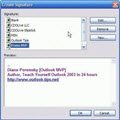
When you use Outlook 2003 and set Word as your email editor or use Outlook 2007, 2010 or 2013, it's easy to change signatures on your messages. If you use multiple email accounts, you can set a signature for each account and it's changed each time you change the account, provided you have a default signature configured for each account. First, create a signature for each … [Read more...] about Using Signatures in Outlook 2003 or 2007
Creating rules that apply to an entire domain
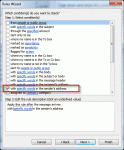
Is there a way to set up a rule so that all emails from a specific server (example microsoft.com) go into a specific folder? I can do it individually each time someone from work emails me but want to set it up so that people from microsoft.com who have never emailed me would automatically go into my MS folder? Yes. You need to enter just the email domain in the rule dialog and … [Read more...] about Creating rules that apply to an entire domain
Tip 819: Undo accidental changes
A user asked“I was trying to categorize some messages and when I right clicked "Categorize", I selected the category then realized I removed the category. How can I undo this mistake?”There is no undo command for accidentally removing categories, but if the items are still selected, reselecting the category will restore them to the items. If it’s too late for … [Read more...] about Tip 819: Undo accidental changes
Day/Week/Month Calendar View with Autopreview
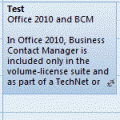
Do you know the difference between the Day/Week/Month view and the Day/Week/Month with autopreview view? When you have appointments containing notes and use the standard Day/Week/Month view, you won't see the notes on the appointment in the day and week views. When you use the Day/Week/Month view with Preview (called just "Preview" in Outlook 2010) you can see the … [Read more...] about Day/Week/Month Calendar View with Autopreview
Tip 818: Showing more (or fewer) navigation calendars
You can show more navigation calendars in the To-Do Bar on the right or in the Calendar navigation pane on the left. To change the number of calendars visible on the To-Do Bar, right click on the To-Do Bar title and choose Options from the menu and change the number of calendars shown. (In Outlook 2010, right click above the navigation calendars where a title bar would be, if … [Read more...] about Tip 818: Showing more (or fewer) navigation calendars