![Diane Poremsky [Outlook MVP]](http://www.outlook-tips.net/images/2014/MVP_BlueOnly.png)

Update October 26 2016: Older HOL files have the US election date as November 1 2016, not November 8, 2016. To fix, just drag the event to November 8 (or delete all Holidays and add them back). Only older HOL files are affected and was fixed in the HOL file (dated July 2014) on my Outlook 2013 test system.The most up-to-date HOL file (as of October 2016) is here. If you … [Read more...] about Outlook's Missing Holidays
appointments
Create Countdown Calendar in Microsoft Outlook
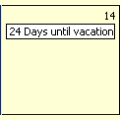
Outlook doesn't support creating calendar items that countdown (or count up) to a specific date. You'll need to create each item individually and the easiest way to do this is outside of Outlook and import the file to the Calendar. You can use this method with any version of Excel and Outlook, although some steps might be slightly different in older versions of either program. … [Read more...] about Create Countdown Calendar in Microsoft Outlook
"Who created the appointment?"
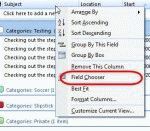
When you use Exchange server, anyone with proper permission to your calendar can open it and add an appointment. While the person's name or Exchange alias is listed as the Organizer, its not easily discovered by many users. Outlook 2007 makes it easier by placing the organizer's name in the subject field (much to the annoyance of many people). The easiest way to see who … [Read more...] about "Who created the appointment?"
Change or cancel meetings without sending update messages
Outlook users often ask how they can edit a meeting request and not send updates to the attendees. I need to change the location of an Outlook meeting and do not want to send the update to the other 15 people on the invite list. Or, the Outlook user has duplicates of a meeting which the attendees have accepted and is looking for a way to delete the duplicates without sending … [Read more...] about Change or cancel meetings without sending update messages
Tip 709: Appointments in the To-Do Bar

An Outlook user has this question: “ I can't figure out why my appointments that I have scheduled do not show up in the To-Do-Bar. I have 2 months selected in the View options for the To-Do-Bar but I’m not seeing the appointments.” The number of navigation calendars you show in the To-Do Bar has no effect on how far ahead you'll see appointments. The appointments … [Read more...] about Tip 709: Appointments in the To-Do Bar