![Diane Poremsky [Outlook MVP]](http://www.outlook-tips.net/images/2014/MVP_BlueOnly.png)

Did you ever make an appointment for a future date or accept a meeting request and it displayed on “Today” ?This is caused by a corrupt view and the fix is simple - reset the view on the calendar. If you use custom views, you can try resetting just the view on the calendar, but if the problem returns, you’ll need to use the /cleanviews switch (and wipe out all custom … [Read more...] about Tip 702: All new appointments are 'today'
appointments
Tip 656: New appointments are always Today

We’re seeing a resurgence of a problem with new appointments always appearing on ‘Today’, instead of the day they are supposed to be on, which means it’s probably time to rerun this tip. The complaint goes like this:When i make an appointment it is saving it to the current day. How do i get my appointments to save on the day that I want?This indicates the view … [Read more...] about Tip 656: New appointments are always Today
Tip 624: Free Busy Publishing
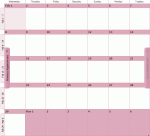
Towards the end of most months we get a few questions that go something like this: We can’t see meeting availability of several people starting on July 1. We can see the meeting availability up until midnight on July 1, then it’s just hashes (No Information) on everyone's calendars. Any idea what's up? Sure, I know what’s up. You are publishing 2 months free/busy – month 1 … [Read more...] about Tip 624: Free Busy Publishing
Tip 509: Disappearing All Day Events
An Outlook 2007 user asks: “I have the weirdest problem. When I create an All Day Event, I can see it in the Month view, but not in Week or Day (nothing is in the top area except a downward pointing arrow, and clicking on the down arrow just brings up a new blank appointment form). However, I've just noticed that if I'm not Maximized, the events show up in all three views! I'm … [Read more...] about Tip 509: Disappearing All Day Events
Mark Appointments or Dates Completed in Outlook
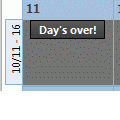
A lot of people want Outlook’s calendar to work like a paper calendar – they want to cross off appointments as they finish or X out “yesterday” to mark it complete. Also see Automatically change Appointment categories using VBA Outlook doesn’t offer such an option, but Outlook 2007 (and up) users can use color categories to mark events ‘completed’. Just create a Completed … [Read more...] about Mark Appointments or Dates Completed in Outlook