![Diane Poremsky [Outlook MVP]](http://www.outlook-tips.net/images/2014/MVP_BlueOnly.png)

Outlook users often ask how they can edit a meeting request and not send updates to the attendees. I need to change the location of an Outlook meeting and do not want to send the update to the other 15 people on the invite list. Or, the Outlook user has duplicates of a meeting which the attendees have accepted and is looking for a way to delete the duplicates without sending … [Read more...] about Change or cancel meetings without sending update messages
calendar
How to change the Calendar date format

A frequent question: When I view the calendar in Week mode it displays the dates, but not the days of the week. Is there an option to show the day? If you don't like the date format Outlook uses on-screen or in printouts, you need to change the long date format set in Windows Control panel, Regional settings. Note, the day of the week format is controlled by the width … [Read more...] about How to change the Calendar date format
Publishing Calendars using Office Online
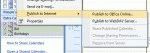
Calendar sharing at Office Online (office.com) was turned off on April 4 2014. After that date you'll only be able to share calendars using this method if you use a server that supports WebDAV. Outlook 2007 has a feature called "Publish to Internet" that allow you to publish your calendar to the Internet so you can share it with others. If you don't have your own web server, … [Read more...] about Publishing Calendars using Office Online
Day/Week/Month Calendar View with Autopreview
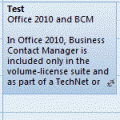
Do you know the difference between the Day/Week/Month view and the Day/Week/Month with autopreview view? When you have appointments containing notes and use the standard Day/Week/Month view, you won't see the notes on the appointment in the day and week views. When you use the Day/Week/Month view with Preview (called just "Preview" in Outlook 2010) you can see the … [Read more...] about Day/Week/Month Calendar View with Autopreview
Tip 803: Using Free/Busy without Exchange
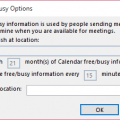
If you don't use an Exchange account, you can’t use Free/Busy unless you (and your contacts) publish free/busy to file server (co-workers) or an Internet server (HTTP or FTP).To share free/busy only with others on your same network, the administrator needs to configure a folder on the network with Read/Change permissions for Everyone, Authenticated users, or Anonymous. To … [Read more...] about Tip 803: Using Free/Busy without Exchange