![Diane Poremsky [Outlook MVP]](http://www.outlook-tips.net/images/2014/MVP_BlueOnly.png)
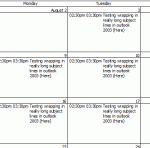
NoteThis bug was (finally) fixed by the January 2011 update. If Outlook is fully updated, lines should wrap properly in a printed monthly calendar. In older versions of Outlook, users could print a monthly calendar and long subjects wrapped to multiple lines. This was broken in Outlook 2007 – if you wanted the subject to wrap, you needed to use the Calendar Printing … [Read more...] about Tip 768: OL2007: Line Wrap in Calendar Printout
calendar
Tip 745: Outlook 2010 and More than 30 Calendars Error
Outlook 2010 has a limit of 30 calendars selected at any one time. If you try to select more than 30, you’ll be alerted: “More than 30 calendars cannot be viewed at once.” It’s surprising to have a limit because Outlook 2010’s Schedule view makes viewing large numbers of calendars much easier – in older versions it was difficult to view more than 13 to 15, even using … [Read more...] about Tip 745: Outlook 2010 and More than 30 Calendars Error
Tip 709: Appointments in the To-Do Bar

An Outlook user has this question: “ I can't figure out why my appointments that I have scheduled do not show up in the To-Do-Bar. I have 2 months selected in the View options for the To-Do-Bar but I’m not seeing the appointments.” The number of navigation calendars you show in the To-Do Bar has no effect on how far ahead you'll see appointments. The appointments … [Read more...] about Tip 709: Appointments in the To-Do Bar
Tip 695: Not enough weeks this month
A common problem with Outlook’s calendar: “Jan 2010 spans 6 weeks but there is not sufficient room to display the appointments. If I view Dec 2009 and use the scroll bar at the left of calendar I can see 5 weeks at a time.” Questions like this come up a lot and I think I put out a tip each time a month covers 6 weeks. Your January covers 6 weeks because you have … [Read more...] about Tip 695: Not enough weeks this month
Tip 624: Free Busy Publishing
Towards the end of most months we get a few questions that go something like this: We can’t see meeting availability of several people starting on July 1. We can see the meeting availability up until midnight on July 1, then it’s just hashes (No Information) on everyone's calendars. Any idea what's up? Sure, I know what’s up. You are publishing 2 months free/busy – month 1 … [Read more...] about Tip 624: Free Busy Publishing