![Diane Poremsky [Outlook MVP]](http://www.outlook-tips.net/images/2014/MVP_BlueOnly.png)
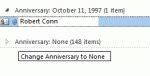
A user wanted to know how to delete all anniversary and birthday items from the contacts section of Outlook 2010. It's actually very easy and doesn't require you to open each contact. Plus, it works with all versions of Outlook. To Edit Contacts To quickly edit Contacts, switch to a list view then add the Birthday and Anniversary fields to the view. Group by one of the … [Read more...] about Tip 926: Delete All Anniversaries and Birthdays
contacts
Changing the Default Country for Contacts
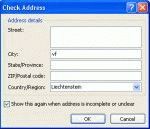
Several users recently asked similar questions. One user wants Outlook to default to Canada when creating new contacts, the other user moved and Outlook is still defaulting to his old country when he creates new contacts. What setting, in what control panel, does Outlook call to default the country when creating a new contact? The default country for my Outlook Contacts is … [Read more...] about Changing the Default Country for Contacts
Tip 923: How to Open Outlook's Email Properties Dialog
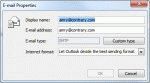
An administrator wanted to know how to open the Email Properties dialog: In outlook 2007 I double clicked the email address once Outlook had underlined it in the To field, then the email properties box opens and I could change the email type to Internet Type. But in outlook 2010 that feature is not there.It's there, its just harder to find in Outlook 2010 and above and … [Read more...] about Tip 923: How to Open Outlook's Email Properties Dialog
The Location Information dialog comes up when you enter a phone number
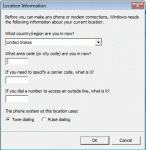
We get a lot of questions about the Location dialog that comes up the first time you enter a phone number in contacts. This is the Windows Phone & Modem dialog and you need to enter your telephone area code and save it before you can enter phone numbers for contacts. Yes, even if you don't have a modem or call contacts from Outlook, you will still need to enter an area code. … [Read more...] about The Location Information dialog comes up when you enter a phone number
Do you use Outlook's Journal? (poll)
As the result of a thread in the Microsoft Answers forum that is starting to get nasty, I created a poll to gauge how many people really use Outlook's Journal - a very small (but passionate!) subset of users as Microsoft believes, or a larger minority of users. You can vote here: Do you use Outlook's Journal? If nothing else, it will be a good insight into how many use … [Read more...] about Do you use Outlook's Journal? (poll)